


ISO/TS 9241-411:2012
(Main)Ergonomics of human-system interaction — Part 411: Evaluation methods for the design of physical input devices
Ergonomics of human-system interaction — Part 411: Evaluation methods for the design of physical input devices
1 Scope This part of ISO 9241 specifies evaluation methods for the design of physical input devices for interactive systems. It provides guidance for the laboratory assessment of conformance with ISO 9241-410 for keyboards, mice, pucks, joysticks, trackballs, touch pads, tablets/overlays, touch-sensitive screens, and styli/light pens. Its provisions apply only to keyboards identified as "full-size" or "compact" by the manufacturer, but nevertheless could provide useful guidance in the design of other keyboards. It is not applicable to those of the requirements of ISO 9241-410 that relate to gesture- and voice-input systems.
Ergonomie de l'interaction homme-système — Partie 411: Méthodes d'évaluation de la conception des dispositifs d'entrée physiques
General Information
- Status
- Published
- Publication Date
- 18-Apr-2012
- Technical Committee
- ISO/TC 159/SC 4 - Ergonomics of human-system interaction
- Drafting Committee
- ISO/TC 159/SC 4 - Ergonomics of human-system interaction
- Current Stage
- 9093 - International Standard confirmed
- Start Date
- 13-May-2026
- Completion Date
- 16-May-2026
Relations
- Effective Date
- 28-Apr-2012
- Effective Date
- 28-Apr-2012
Overview
ISO/TS 9241-411:2012 - Ergonomics of human‑system interaction - Part 411 - provides laboratory evaluation methods for the design of physical input devices used with interactive systems. As a Technical Specification in the ISO 9241 series, it explains how to assess conformance with ISO 9241-410 design criteria for devices such as keyboards (full‑size and compact), mice, pucks, joysticks, trackballs, touchpads, tablets/overlays, touch‑sensitive screens, and styli/light pens. It is intended for controlled laboratory assessment and is not applicable to gesture‑ or voice‑input requirements.
Key topics and requirements
- Scope and purpose: Methods for laboratory analysis and comparison of physical input devices; guidance to assess conformance with ISO 9241‑410.
- Device coverage: Detailed evaluation methods for keyboards (manufacturer‑identified full‑size/compact), mice, pucks, joysticks, trackballs, touchpads, tablets/overlays, touch screens and styli/light pens.
- Measurement & test methods: Tables and procedures defining what to measure and how to measure physical and functional properties (e.g., key geometry, mechanical properties, pointing device characteristics).
- Usability and performance testing: Annexes provide approaches for testing efficiency, effectiveness, and comfort, including a usability test for keyboards.
- Conformance: Guidance on assessing compliance with ISO 9241‑410 requirements and documenting results.
- Supporting material: Normative references, terms and definitions, guiding principles, figures illustrating device views and measurement techniques, and design requirement tables per device.
Practical applications
ISO/TS 9241‑411 is useful for:
- Manufacturers and product designers - to validate ergonomic design choices and iterate on hardware before production.
- Test laboratories and QA teams - to run standardized lab assessments for product certification or R&D comparison testing.
- UX/ergonomics specialists and HCI researchers - to compare input device performance, comfort, and usability using repeatable methods.
- Procurement and compliance officers - to specify ergonomic acceptance criteria for buying decisions or regulatory compliance.
- R&D and usability labs - for benchmarking pointing and typing devices against ISO 9241‑410 criteria.
Using these standardized evaluation methods helps ensure repeatable, objective measurements of keyboard ergonomics, mouse ergonomics, and other physical input device characteristics-improving usability, user comfort, and product competitiveness.
Related standards
- ISO 9241‑410 - Design criteria for physical input devices (conformance target)
- ISO 9241‑400 - Principles and requirements for physical input devices
- ISO 9241 series - broader ergonomics guidance (e.g., Part 420 selection of input devices, Part 307 test methods for displays)
Keywords: ISO/TS 9241-411, ergonomics, human-system interaction, physical input devices, evaluation methods, keyboard testing, mouse ergonomics, usability testing, lab assessment.

Get Certified
Connect with accredited certification bodies for this standard

BSI Group
BSI (British Standards Institution) is the business standards company that helps organizations make excellence a habit.

CIS Institut d.o.o.
Personal Protective Equipment (PPE) certification body. Notified Body NB-2890 for EU Regulation 2016/425 PPE.

Kiwa BDA Testing
Building and construction product certification.
Sponsored listings
Frequently Asked Questions
ISO/TS 9241-411:2012 is a technical specification published by the International Organization for Standardization (ISO). Its full title is "Ergonomics of human-system interaction — Part 411: Evaluation methods for the design of physical input devices". This standard covers: 1 Scope This part of ISO 9241 specifies evaluation methods for the design of physical input devices for interactive systems. It provides guidance for the laboratory assessment of conformance with ISO 9241-410 for keyboards, mice, pucks, joysticks, trackballs, touch pads, tablets/overlays, touch-sensitive screens, and styli/light pens. Its provisions apply only to keyboards identified as "full-size" or "compact" by the manufacturer, but nevertheless could provide useful guidance in the design of other keyboards. It is not applicable to those of the requirements of ISO 9241-410 that relate to gesture- and voice-input systems.
1 Scope This part of ISO 9241 specifies evaluation methods for the design of physical input devices for interactive systems. It provides guidance for the laboratory assessment of conformance with ISO 9241-410 for keyboards, mice, pucks, joysticks, trackballs, touch pads, tablets/overlays, touch-sensitive screens, and styli/light pens. Its provisions apply only to keyboards identified as "full-size" or "compact" by the manufacturer, but nevertheless could provide useful guidance in the design of other keyboards. It is not applicable to those of the requirements of ISO 9241-410 that relate to gesture- and voice-input systems.
ISO/TS 9241-411:2012 is classified under the following ICS (International Classification for Standards) categories: 13.180 - Ergonomics; 35.180 - IT Terminal and other peripheral equipment. The ICS classification helps identify the subject area and facilitates finding related standards.
ISO/TS 9241-411:2012 has the following relationships with other standards: It is inter standard links to ISO 9241-9:2000, ISO 9241-4:1998. Understanding these relationships helps ensure you are using the most current and applicable version of the standard.
ISO/TS 9241-411:2012 is available in PDF format for immediate download after purchase. The document can be added to your cart and obtained through the secure checkout process. Digital delivery ensures instant access to the complete standard document.
Standards Content (Sample)
TECHNICAL ISO/TS
SPECIFICATION 9241-411
First edition
2012-05-01
Ergonomics of human-system
interaction —
Part 411:
Evaluation methods for the design of
physical input devices
Ergonomie de l'interaction homme-système —
Partie 411: Méthodes d'évaluation de la conception des dispositifs
d'entrée physiques
Reference number
©
ISO 2012
© ISO 2012
All rights reserved. Unless otherwise specified, no part of this publication may be reproduced or utilized in any form or by any means,
electronic or mechanical, including photocopying and microfilm, without permission in writing from either ISO at the address below or
ISO's member body in the country of the requester.
ISO copyright office
Case postale 56 CH-1211 Geneva 20
Tel. + 41 22 749 01 11
Fax + 41 22 749 09 47
E-mail copyright@iso.org
Web www.iso.org
Published in Switzerland
ii © ISO 2012 – All rights reserved
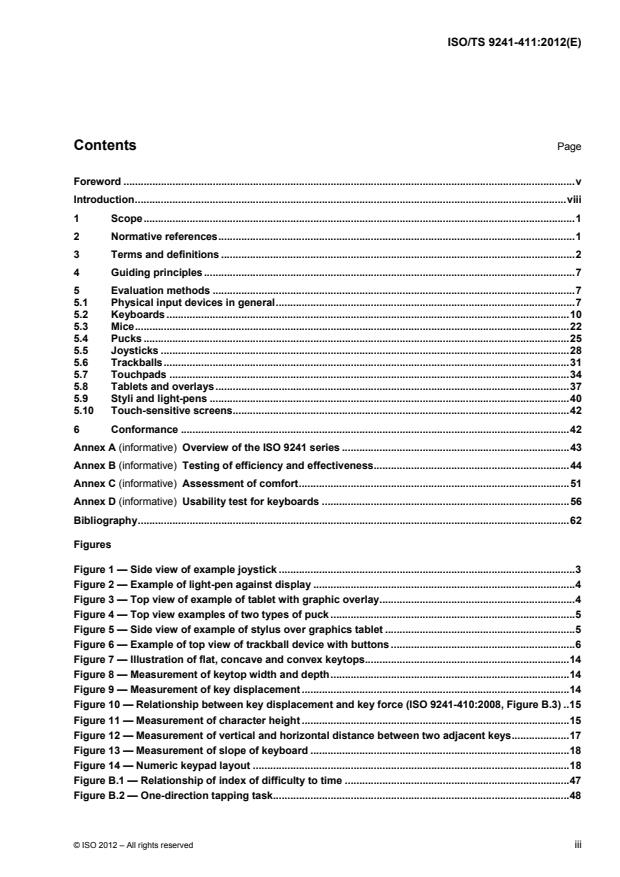
Contents Page
Foreword . v
Introduction . viii
1 Scope . 1
2 Normative references . 1
3 Terms and definitions . 2
4 Guiding principles . 7
5 Evaluation methods . 7
5.1 Physical input devices in general . 7
5.2 Keyboards . 10
5.3 Mice . 22
5.4 Pucks . 25
5.5 Joysticks . 28
5.6 Trackballs . 31
5.7 Touchpads . 34
5.8 Tablets and overlays . 37
5.9 Styli and light-pens . 40
5.10 Touch-sensitive screens. 42
6 Conformance . 42
Annex A (informative) Overview of the ISO 9241 series . 43
Annex B (informative) Testing of efficiency and effectiveness . 44
Annex C (informative) Assessment of comfort . 51
Annex D (informative) Usability test for keyboards . 56
Bibliography . 62
Figures
Figure 1 — Side view of example joystick . 3
Figure 2 — Example of light-pen against display . 4
Figure 3 — Top view of example of tablet with graphic overlay . 4
Figure 4 — Top view examples of two types of puck . 5
Figure 5 — Side view of example of stylus over graphics tablet . 5
Figure 6 — Example of top view of trackball device with buttons . 6
Figure 7 — Illustration of flat, concave and convex keytops . 14
Figure 8 — Measurement of keytop width and depth . 14
Figure 9 — Measurement of key displacement . 14
Figure 10 — Relationship between key displacement and key force (ISO 9241-410:2008, Figure B.3) . 15
Figure 11 — Measurement of character height . 15
Figure 12 — Measurement of vertical and horizontal distance between two adjacent keys . 17
Figure 13 — Measurement of slope of keyboard . 18
Figure 14 — Numeric keypad layout . 18
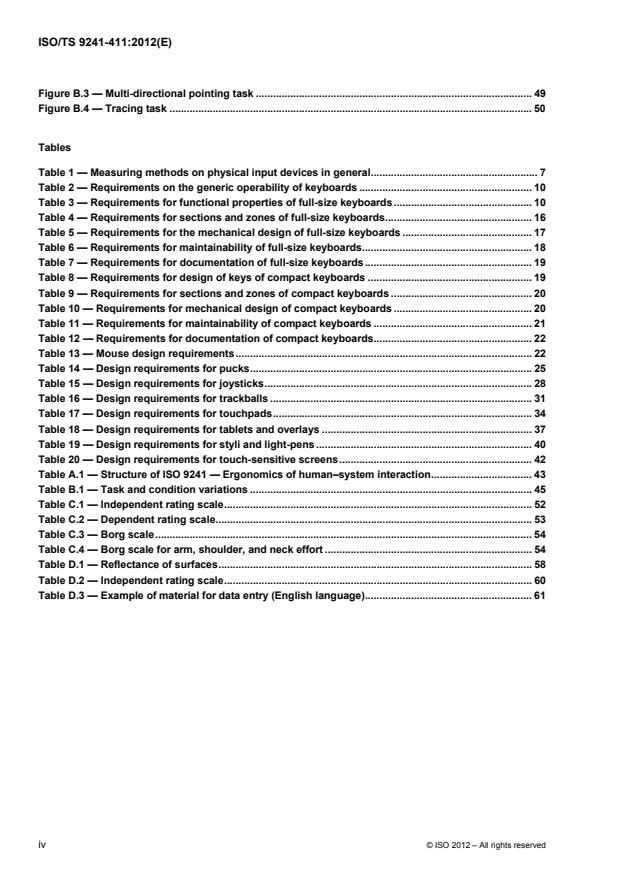
Figure B.1 — Relationship of index of difficulty to time . 47
Figure B.2 — One-direction tapping task . 48
Figure B.3 — Multi-directional pointing task . 49
Figure B.4 — Tracing task . 50
Tables
Table 1 — Measuring methods on physical input devices in general . 7
Table 2 — Requirements on the generic operability of keyboards . 10
Table 3 — Requirements for functional properties of full-size keyboards . 10
Table 4 — Requirements for sections and zones of full-size keyboards . 16
Table 5 — Requirements for the mechanical design of full-size keyboards . 17
Table 6 — Requirements for maintainability of full-size keyboards . 18
Table 7 — Requirements for documentation of full-size keyboards . 19
Table 8 — Requirements for design of keys of compact keyboards . 19
Table 9 — Requirements for sections and zones of compact keyboards . 20
Table 10 — Requirements for mechanical design of compact keyboards . 20
Table 11 — Requirements for maintainability of compact keyboards . 21
Table 12 — Requirements for documentation of compact keyboards . 22
Table 13 — Mouse design requirements . 22
Table 14 — Design requirements for pucks . 25
Table 15 — Design requirements for joysticks . 28
Table 16 — Design requirements for trackballs . 31
Table 17 — Design requirements for touchpads . 34
Table 18 — Design requirements for tablets and overlays . 37
Table 19 — Design requirements for styli and light-pens . 40
Table 20 — Design requirements for touch-sensitive screens . 42
Table A.1 — Structure of ISO 9241 — Ergonomics of human–system interaction . 43
Table B.1 — Task and condition variations . 45
Table C.1 — Independent rating scale . 52
Table C.2 — Dependent rating scale . 53
Table C.3 — Borg scale . 54
Table C.4 — Borg scale for arm, shoulder, and neck effort . 54
Table D.1 — Reflectance of surfaces . 58
Table D.2 — Independent rating scale . 60
Table D.3 — Example of material for data entry (English language) . 61
iv © ISO 2012 – All rights reserved
Foreword
ISO (the International Organization for Standardization) is a worldwide federation of national standards bodies
(ISO member bodies). The work of preparing International Standards is normally carried out through ISO
technical committees. Each member body interested in a subject for which a technical committee has been
established has the right to be represented on that committee. International organizations, governmental and
non-governmental, in liaison with ISO, also take part in the work. ISO collaborates closely with the
International Electrotechnical Commission (IEC) on all matters of electrotechnical standardization.
International Standards are drafted in accordance with the rules given in the ISO/IEC Directives, Part 2.
The main task of technical committees is to prepare International Standards. Draft International Standards
adopted by the technical committees are circulated to the member bodies for voting. Publication as an
International Standard requires approval by at least 75 % of the member bodies casting a vote.
In other circumstances, particularly when there is an urgent market requirement for such documents, a
technical committee may decide to publish other types of document:
an ISO Publicly Available Specification (ISO/PAS) represents an agreement between technical experts in
an ISO working group and is accepted for publication if it is approved by more than 50 % of the members
of the parent committee casting a vote;
an ISO Technical Specification (ISO/TS) represents an agreement between the members of a technical
committee and is accepted for publication if it is approved by 2/3 of the members of the committee casting
a vote.
An ISO/PAS or ISO/TS is reviewed after three years in order to decide whether it will be confirmed for a
further three years, revised to become an International Standard, or withdrawn. If the ISO/PAS or ISO/TS is
confirmed, it is reviewed again after a further three years, at which time it must either be transformed into an
International Standard or be withdrawn.
Attention is drawn to the possibility that some of the elements of this document may be the subject of patent
rights. ISO shall not be held responsible for identifying any or all such patent rights.
ISO/TS 9241-411 was prepared by Technical Committee ISO/TC 159, Ergonomics, Subcommittee SC 4,
Ergonomics of human-system interaction.
This first edition of ISO/TS 9241-411, together with ISO 9241-400, ISO 9241-410 and ISO 9241-420, cancels
and replaces ISO 9241-4 and ISO 9241-9, technically revised as follows:
terms and definitions from ISO 9241-4 and ISO 9241-9 have been transferred to ISO 9241-400;
guiding principles, collected in ISO 9241-400, have been incorporated and unified so that they correspond
to the scope of the new ISO 9241 series;
test methods taken from ISO 9241-4 and ISO 9241-9 have been reviewed and amended and new test
methods introduced and collected in annexes for greater convenience.
ISO/TS 9241 consists of the following parts, under the general title Ergonomic requirements for office work
with visual display terminals (VDTs):
Part 1: General introduction
Part 2: Guidance on task requirements
Part 5: Workstation layout and postural requirements
Part 6: Guidance on the work environment
Part 11: Guidance on usability
Part 12: Presentation of information
Part 13: User guidance
Part 14: Menu dialogues
Part 15: Command dialogues
Part 16: Direct manipulation dialogues
Part 17: Form filling dialogues
ISO 9241 also consists of the following parts, under the general title Ergonomics of human-system interaction:
Part 20: Accessibility guidelines for information/communication technology (ICT) equipment and services
Part 100: Introduction to standards related to software ergonomics [Technical Report]
Part 110: Dialogue principles
Part 129: Guidance on software individualization
Part 143: Forms
Part 151: Guidance on World Wide Web user interfaces
Part 154: Interactive voice response (IVR) applications
Part 171: Guidance on software accessibility
Part 210: Human-centred design for interactive systems
Part 300: Introduction to electronic visual display requirements
Part 302: Terminology for electronic visual displays
Part 303: Requirements for electronic visual displays
Part 304: User performance test methods for electronic visual displays
Part 305: Optical laboratory test methods for electronic visual displays
Part 306: Field assessment methods for electronic visual displays
Part 307: Analysis and compliance test methods for electronic visual displays
Part 308: Surface-conduction electron-emitter displays (SED) [Technical Report]
Part 309: Organic light-emitting diode (OLED) displays [Technical Report]
Part 310: Visibility, aesthetics and ergonomics of pixel defects [Technical Report]
Part 331: Optical characteristics of autosterescopic displays [Technical Report]
Part 400: Principles and requirements for physical input devices
Part 410: Design criteria for physical input devices
vi © ISO 2012 – All rights reserved
Part 411: Evaluation methods for the design of physical input devices [Technical Specification]
Part 420: Selection of physical input devices
Part 910: Framework for tactile and haptic interaction
Part 920: Guidance on tactile and haptic interactions
The following parts are under preparation:
— Part 391: Requirements, analysis and compliance test methods for the reduction of photosensitive
seizures
User-interface elements, ergonomic requirements for the reduction of visual fatigue from stereoscopic images,
and the evaluation of tactile and haptic interactions are to form the subjects of future parts 161, 392 and 940.
Introduction
Input devices are a means for users to enter data into interactive systems. Generally speaking, an input
device is a sensor that can detect changes in user behaviour (gestures, moving fingers, etc.) and transform
them into signals to be interpreted by the interactive system.
This part of ISO 9241 presents methods for the laboratory analysis and comparison of input devices for
interactive systems. It does not contain requirements for input devices, but provides the means for evaluating
conformance with the requirements of ISO 9241-410 for input devices such as keyboards, mice, pucks,
joysticks, trackballs, touch pads, tablets/overlays, touch-sensitive screens, and styli/light pens.
The target users of this part of ISO 9241 are manufacturers, product designers and test organizations
concerned with commercial input devices such as the physical input devices listed above.
viii © ISO 2012 – All rights reserved
TECHNICAL SPECIFICATION ISO/TS 9241-411:2012(E)
Ergonomics of human-system interaction —
Part 411:
Evaluation methods for the design of physical input devices
1 Scope
This part of ISO 9241 specifies evaluation methods for the design of physical input devices for interactive
systems. It provides guidance for the laboratory assessment of conformance with ISO 9241-410 for
keyboards, mice, pucks, joysticks, trackballs, touch pads, tablets/overlays, touch-sensitive screens, and
styli/light pens. Its provisions apply only to keyboards identified as “full-size” or “compact” by the manufacturer,
but nevertheless could provide useful guidance in the design of other keyboards. It is not applicable to those
of the requirements of ISO 9241-410 that relate to gesture- and voice-input systems.
2 Normative references
The following referenced documents are indispensable for the application of this document. For dated
references, only the edition cited applies. For undated references, the latest edition of the referenced
document (including any amendments) applies.
1)
ISO 7000, Graphical symbols for use on equipment ― Index and synopsis
ISO 9241-5, Ergonomic requirements for office work with visual display terminals (VDTs) ― Part 5:
Workstation layout and postural requirements
ISO 9241-307, Ergonomics of human-system interaction ― Part 307: Analysis and compliance test methods
for electronic visual displays
ISO 9241-410:2008, Ergonomics of human-system interaction ― Part 410: Design criteria for physical input
devices
ISO/IEC 9995-1, Information technology ― Keyboard layouts for text and office systems ― Part 1: General
principles governing keyboard layouts
1)
IEC 60417, Graphical symbols for use on equipment
1) The database on Graphical Symbols for Use on Equipment contains the complete set of graphical symbols included in
ISO 7000 and IEC 60417: http://www.graphical-symbols.info/
3 Terms and definitions
For the purposes of this document, the terms and definitions given in ISO 9241-400 and ISO 9241-410 and
the following apply.
3.1
category
part of a system into which properties of entities can be arranged
[SOURCE: ISO 9241-410:2008; 3.2]
3.2
class
category of a property of a product with rank order
NOTE 1 Class 1 is the most, and class n the least, favourable category of a specific property of a product, where n is
the number of classes.
NOTE 2 An example of a property is durability of the legends of a key. If a key belongs to the highest class, it will fulfil
all requirements for the lower categories.
[SOURCE: ISO 9241-410:2008; 3.3]
3.3
compact keyboard
keyboard that features most properties of a full-size keyboard, with the editing section integrated into the
alphanumeric section
NOTE 1 A compact keyboard has no numeric section separate from the alpha keys.
NOTE 2 Compact is a term used to describe a keyboard that allows a mouse or other pointing device to be positioned
closer to the user as described in 9241-410, B.2.1.1. Some keyboards, for example keyboards with small dimensions as
used on portable devices, are neither full-size nor compact keyboards.
[SOURCE: ISO 9241-410:2008, 3.4, modified — Note 1 has been changed and Note 2 added.]
3.4
full-size keyboard
keyboard that comprises all sections and zones as described in ISO/IEC 9995-1
[SOURCE: ISO 9241-410:2008, 3.6]
3.5
housing
protective cover designed to contain or support a mechanical component
NOTE An input device is either integrated into its own housing or into another unit that comprises other functional
units (e.g. control desk, control panel, telephone).
[SOURCE: ISO 9241-410:2008, 3.11]
3.6
index of difficulty
I
D
measure of the user precision required in a task
NOTE The index of difficulty, I , is measured in bits, and is calculated for selection, pointing, or dragging tasks by
D
dw
I log
D2
w
2 © ISO 2012 – All rights reserved
and, for tracing tasks, by
d
I
D
w
where
d is the distance of movement to the target;
w is the target width of the displayed target along the approach axis for selection, pointing or dragging tasks, and
perpendicular for tracing tasks.
[SOURCE: ISO 9241-410:2008; 3.12]
3.7
input device
user controlled device that transmits information to a system
[SOURCE: ISO 9241-400:2007; 3.6.3]
3.8
joystick
lever mounted in a fixed base used to control the movement of objects displayed on a screen
SEE: Figure 1.
[SOURCE: ISO 9241-400:2007; 3.6.4]
Figure 1 — Side view of example joystick
3.9
keypad
functional unit that comprises at least a group of keys dedicated and arranged for a given functionality and
possibly additional keys supporting related functionality
EXAMPLE Numeric keys, “Enter” key of keypad.
[SOURCE: ISO 9241-410:2008; 3.14]
3.10
light-pen
light sensitive input device that, when pointed onto a specific location on a display, identifies its position to the
system
SEE: Figure 2.
[SOURCE: ISO 9241-400:2007; 3.6.10]
Figure 2 — Example of light-pen against display
3.11
mouse
computer input device having one or more buttons and capable of two dimensional rolling motion which can
drive a cursor on the display and performs a variety of selection options or commands
[SOURCE: ISO 9241-400:2007; 3.6.11]
3.12
neutral posture
posture which avoids the extremes of a joint’s range of motion or that is not near the end of the range of
motion for the particular joint
3.13
overlay
thin template on the surface of a tablet used to indicate the graphic functions available to the user
SEE: Figure 3.
[SOURCE: ISO 9241-400:2007; 3.6.13]
Key
1 graphic overlay
Figure 3 — Top view of example of tablet with graphic overlay
3.14
puck
hand-held device similar to a mouse but with a reticle view port and that is typically used with a digitizing tablet
SEE: Figure 4.
[SOURCE: ISO 9241-400:2007; 3.6.16]
4 © ISO 2012 – All rights reserved
Figure 4 — Top view examples of two types of puck
3.15
section
functional groups within computer keyboards for which different rules for layouts can apply
NOTE Some sections of existing keyboards are arranged according to more-than-century-old conventions.
[SOURCE: ISO 9241-410:2008; 3.16]
3.16
stylus
pen-shaped pointing device which, when touched to a display or graphics tablet, can be used to draw images
on a display or select displayed objects, typically by depressing the stylus tip or actuating a button located
along the side of the stylus
SEE: See Figure 5.
[SOURCE: ISO 9241-400:2007; 3.6.23]
Figure 5 — Side view of example of stylus over graphics tablet
3.17
tablet
graphics tablet
special flat surface with an input device (such as a stylus or puck) for selection, drawing, or indicating the
position, of images to be displayed
[SOURCE: ISO 9241-400:2007; 3.6.24]
3.18
task precision
measure of the accuracy required for a pointing, selecting or dragging task primitive, quantified by the index of
difficulty
[SOURCE: ISO 9241-410:2008; 3.17]
3.19
throughput
rate of information transfer when a user is operating an input device to control a pointer on a
display
NOTE The throughput is expressed in bits per second.
[SOURCE: ISO 9241-400:2007; 3.7.13]
3.20
touch sensitive screen
TSS
input device that produces a position and selection input signal from a finger touching, lifting off or moving
across a display
[SOURCE: ISO 9241-400:2007; 3.6.27]
3.21
touchpad
touch-sensitive pad that senses the position of a finger on its surface
[SOURCE: ISO 9241-410:2008; 3.18]
3.22
trackball
input device consisting of a ball in a fixed housing that can be rolled in any direction by the fingers to control
pointer movement
NOTE See Figure 6.
[SOURCE: ISO 9241-400:2007; 3.6.26]
Figure 6 — Example of top view of trackball device with buttons
3.23
zone
smaller unit within a section of a keyboard representing different functionality
EXAMPLE The layout of the alphanumeric keys for entering graphic characters (alphanumeric zone) grouped with
function and modifier keys such as “Ctrl”, “Alt”, “Tab” or “Backspace”.
[SOURCE: ISO 9241-410:2008; 3.20]
6 © ISO 2012 – All rights reserved
4 Guiding principles
A structure is needed form compliance procedures and evaluation methods for physical input devices. The
aim of this structure is to clarify what requirements and classes (specified in ISO 9241-410) are relevant for
each intended application.
For this purpose the evaluation methods are outlined in the Tables 1 to 20. Each table addresses different
evaluation methods with three columns stating
the clauses or subclauses referred to in ISO 9241-410, with the specific requirement being addressed,
the pass/fail criterion based on the requirements reproduced from ISO 9241-410, and
the recommended measuring methods to verify whether the requirement has been fulfilled.
Reporting should be done using the summarizing table shown in ISO 9241-410: 2008, Figure 1.
5 Evaluation methods
5.1 Physical input devices in general
Table 1 shows the measuring methods for physical input devices in general.
Table 1 — Measuring methods for physical input devices in general
Attribute in Pass/Fail criterion based on
ISO 9241-410: requirements and intended Measuring method
2008 context of use
Clause 5 The input device shall be Verify the conformance with the normative design requirements in the
usable for its designated relevant annex (ISO 9241-410:2008, Annexes B to J).
Usable for
purpose.
designated
purpose
Clause 5 The input device shall be
Verify the level of effort and satisfaction by measuring and
usable for its designated demonstrating comfort using the methods in Annex C.
Satisfactory
purpose. It is considered
level of
usable if users can achieve a
performance
satisfactory level of
performance on a given task
and maintain an acceptable
level of effort and satisfaction.
7.1 The intended use for a physical State:
input device shall be specified
that the intended use is specified; or
Specification of
unless it is obvious or the
intended use
that the intended use is for general purposes; or
device is designed for general
purpose use.
that the intended use is obvious.
[Modified from ISO 9241-410]
7.1 The specification shall include Verify that the specification of the intended use of the device states the
technical conditions for the required technical conditions for the context of use.
Technical
context of use to be realized for
conditions for
a satisfactory use of the device
use
(e.g. operating system, driver,
support surface, etc.).
Table 1 (continued)
Attribute in Pass/Fail criterion based on
ISO 9241-410: requirements and intended Measuring method
2008 context of use
7.1 The user of this standard shall Verify that a declaration has been made as to which category or
specify to which category a categories (ISO 9241-410:2008, Annexes A to I) the device belongs.
Specification of
device belongs to.
category
7.1 The user of this standard shall Verify that a declaration has been made as to which category or
specify to which category a categories (ISO 9241-410:2008, Annexes A to I) the device belongs.
Specification of
device belongs to.
category
7.2.2 The dimensioning of an input Verify the dimensions of the device are appropriate for the intended
device and its parts shall be user population.
Anthropometric
compatible with the relevant
dimensions Verify the intended level of effectiveness, efficiency and satisfaction
anthropometric dimensions of
using the test methods described in Annexes B, C or D, as appropriate.
the part of the body for the
intended user population to a
degree that relevant design
objectives can be met
(intended level of effectiveness,
intended level of efficiency).
[Modified from ISO 9241-410]
7.2.2 If achieving the intended level Specify if additional software or additional equipment is necessary.
of appropriateness requires
Appropriate-
enhancing by software or by
ness
additional use of another
device other than delivered
with the device under
consideration the additional
equipment shall be specified.
7.2.3.6 An input device shall provide Verify that the user:
effective feedback, i.e. the user
can determine the current state of the device;
Feedback
is given immediately
can determine the outcome of the latest action;
perceptible and understandable
indication that the device is
can determine any action that is required as a consequence of the
responding to the user’s
previous action(s).
actuation.
7.2.4.1 The design of the device shall Verify that:
give the user adequate and
the input device provides adequate and reliable access can be
Adequate and
reliable access;
used without undue biomechanical loading;
reliable access
the input device can be used without inadvertent activation.
7.2.4.2 The device shall be responsive, Verify that:
and its use shall not interfere
every operation performed with the input device generates the
Device
with its functionality;
appropriate feedback;
responsive-
ness [Modified from ISO 9241-410]
the use of the input device does not necessarily interfere with its
own function, e.g., a mouse that is entangled by its own tail.
7.2.4.1 The design shall prevent Verify that the input device can be used without unintended slipping
unintended loss of control when being held, pushed or activated.
Loss of control
during intended use, e.g.
slipping by hand operated
devices.
7.2.4.3 An input device shall not Verify that the user can access all functional elements of the input
interfere with its own use. device without degrading the usability of the device.
Self-
interference
8 © ISO 2012 – All rights reserved
Table 1 (continued)
Attribute in Pass/Fail criterion based on
ISO 9241-410: requirements and intended Measuring method
2008 context of use
7.2.4.3 Functional elements needed to Verify that functional elements do not necessarily inhibit input actuation,
transport data from the device thereby negatively influencing throughput and accuracy.
Cable
to the system and vice versa
interference
(cables, infrared beams) shall
not influence throughput and
accuracy.
7.2.4.5 The design of an input device Verify that the user can access the device without adversely affecting
shall enable the user to quickly performance.
Readily usable
and easily access it (e.g. grasp,
design
position and manipulate) during
intended use without adversely
affecting performance.
7.2.4.6 Controls of an input device Verify that accessing and activating an input device does not change
shall be located and actuated the intended consequence, e.g. inadvertent movement of the hot spot
Readily usable
quickly and easily without resultant from pressing a button on a mouse.
controls
interfering with the overall use
of the device.
7.2.5.2 An input device shall be Verify that the design of the input device does not constrain the user’s
operable without undue joints in positions at the extremes of the joint’s range of motion while
Avoidance of
deviation from a neutral using the input device in the intended operation.
extreme
posture.
postures
7.2.5.3 An input device designed for Verify that the design of the input device does not force the user to
efficient use shall be operable make excessive exertions for the intended operation.
Avoidance of
without excessive effort.
excessive Acceptable levels of effort may be documented by use of a survey
effort similar to the example shown in Table C.1.
9 The documentation of a Verify that the product documentation includes the product description
product shall comprise the and operating instructions.
Description
product description and the
and operating
operating instructions.
instructions
9 The product description shall Verify that the product documentation provides the information
specify all relevant and necessary for selecting the appropriate device.
Information for
usability related information for
selection of
selecting the appropriate
appropriate
device.
device
5.2 Keyboards
Tables 2 to 12 give the requirements common to all keyboards, as well as those specific to a particular type of
keyboard — for example, full-size or compact keyboards.
Table 2 — Requirements on the generic operability of keyboards
Attribute in Pass/Fail criterion based on
ISO 9241-410: requirements and intended Conformance method
2008 context of use
B.2.1.2.1 A keyboard shall either belong Verify either:
to class C1 for obviousness
that the keyboard is identified as C1; or
Obviousness
(known or visible without
of use
additional instructions and
that the required level of instructions is provided in the
information) or the required documentation.
level of instructions shall be
specified.
Table 3 — Requirements for functional properties of full-size keyboards
Attribute in Pass/Fail criterion based on
ISO 9241-410: requirements and intended Measuring method
2008 context of use
B.2.2.1.1 a) The keytops of normal-size Determine if the keytops in the alphanumeric, numeric and cursor
keys in the alphanumeric, zones are flat or concave (see Figure 7).
Keytop shape
cursor and numeric zones shall
have either concave or flat
strike surfaces.
B.2.2.1.1 b) The strike surface of the Evaluate the area of the strike surface by measuring the width and
keytops of alphanumeric keys depth of the top surface of the key and calculating the area (see
Strike surface
shall be at least 110 mm2 in Figure 8).
area, the width of the strike
surface shall be between
12 mm and 15 mm.
B.2.2.1.1 c) The key displacement shall be The key displacement is measured by activating the key at its centre, in
between 1,5 mm and 6,0 mm. the direction of key motion, with an applied force of 1,5 N. The distance
Displacement
between height of the non-actuated key (before it is depressed) and the
completely depressed key is the key displacement (see Figure 9).
NOTE The force and displacement characteristics described herein do
not apply to virtual keyboards, for example, those formed on a display or
projected onto a surface.
B.2.1.2.2 The class to which a keyboard Verify either that: the keyboard is identified as C1 (i.e. capable of n-key
belongs with regard to roll-over where n > 2); or the restricted level of predictability C2 to C4
Predictability of
predictability shall be specified. and is specified in the documentation.
operation of
keyboards The following classes are categorized:
C1: n-key roll-over where n > 2; or equivalent
C2: two-key roll-over or equivalent;
C3: no roll-over, i.e. first activated key must be released before the
subsequent key can be detected;
C4: delayed input required, i.e. after release of the first activated
key, a defined waiting period is needed before a subsequent key
can be detected.
10 © ISO 2012 – All rights reserved
Table 3 (continued)
Attribute in Pass/Fail criterion based on
ISO 9241-410: requirements and intended Measuring method
2008 context of use
B.2.7.1 The documentation of a If special training, tools or software is necessary to provide the intended
keyboard shall indicate level of usability of the keyboard, verify that this information is provided
Documentation
whether: in the keyboard documentation.
NOTE Some examples of special training might include one-hand-
special training;
keyboards, chording keyboards, special design keyboards. Normal training for
additional physical tools; typing on keyboards is not regarded as special training.
specific software is
needed to achieve the
intended level of usability
(effectiveness, efficiency
and satisfaction).
B.2.2.1.1 d) The force at the character Measure the key force and displacement relationship as illustrated in
generation point or at the snap Figure 10.
Force
point should be between 0,5 N
Determine the force (resistance) at the snap point (illustrated at 2 in
and 0,8 N and shall be
Figure 10).
between 0,25 N and 1,5 N.
NOTE The force and displacement characteristics described herein do
not apply to virtual keyboards, for example, those formed on a display or
projected onto a surface.
B.2.2.1.1 e) For displacement keyboards Measure the key force and displacement relationship as illustrated in
(see ISO 9241-410:2008, Figure 10.
Force/
Figure B.3), the initial
displacement Determine the force at which initial displacement of the key occurs
resistance (starting force or
characteristics (before the snap point, as illustrated at 6 in Figure 10).
preload) shall be between 25 %
NOTE The force and displacement characteristics described herein do
and 75 % of the force at the
not apply to virtual keyboards, for example, those formed on a display or
character generation point (for
projected onto a surface.
ramp activation) or at the snap
point (for snap action).
B.2.2.1.1 e) The switch-make action in the Verify (e.g. via a description of the key force and displacement as
snap action shall occur after shown in Figure 10) that the switch make action occurs after the snap
Force/
the snap point but before the point but before the key force returns to the same level as at the snap
displacement
key force has returned to the point.
characteristics
snap point.
B.2.2.1.1 f) Actuation of a key shall be If auditory feedback is the principal means of feedback, verify that
accompanied by feedback. auditory feedback from the operation of the key(s) is perceptible from a
Feedback
background sound level of the intended use environment, generally
If the principle means (of
10 dB A-weighted above.
feedback) is auditory, the
auditory signal shall be
perceptible in the use
environment.
B.2.2.1.1 f) Supplementary auditory feed- Verify that the auditory feedback from the key(s) can be suppressed or
back shall be suppressible (i.e. turned off.
Feedback
a volume control position that
represents “off”).
B.2.2.1.1 f) The feedback shall occur within Verify that auditory feedback occurs within 100 ms of key activation.
100 ms after the key activation.
Feedback
Table 3 (continued)
Attribute in Pass/Fail criterion based on
ISO 9241-410: requirements and intended Measuring method
2008 context of use
B.2.2.1.1 g) In order to prevent unintended Take a random sample of five alphanumeric or numeric keys, and, with
multiple event signalling from a a mechanical device, actuate each key at a rate of 5 times per second
Bounce
single key actuation, the using a force of 1,5 N for 60 s.
keyboard shall be provided with
Count the number of characters produced and determine if it is the
either bounce-free switches or
same as the number of inputs (1 500 total, or 300 per key).
a means of ensuring that
bounce will not cause
unintended activation.
B.2.2.1.1 h) Where a repeat function is Actuate an alphanumeric key by holding it down for 15 s. Note the
provided, the fixed repeat rate delay until the second character appears; this is the initial delay period.
Key repeat
shall be 10 activations per
function Determine the number of characters produced after the initial delay,
second to 20 activations per
and then divide this by the time that the key remains activated after the
second after an initial delay
initial delay period to obtain the characters per second.
between 500 ms and 750 ms
after the key is actuated.
B.2.2.1.1 i) C1 keyboards shall be Simultaneously press and hold three alphanumeric or numeric keys. If
equipped with n-key roll-over the keyboard is equipped with 3-key roll-over, the appropriate
Key roll-over
according to C1 (B.2.1.2.2). characters corresponding to the combination of the 3 keys will be
produced.
[Modified from ISO 9241-410]
For C1 keyboards where n > 3, the appropriate characters
NOTE n-key roll-over is
corresponding to the combination of the n keys is produced when the n
defined as follows: When a
keys are pressed at the same time.
keyboard has n-key roll-over, if
some number (n) of keys is
NOTE n-key roll-over is defined as follows: When a keyboard has n-key roll-
pressed at the same time, then the
over, if some number (n) of keys is pressed at the same time, then the input from
input from each key is interpreted
each key is interpreted correctly.
correctly.
Keyboards where n > 2 are classed as C1. Touch-typing generally
requires 3-key roll-over. For some limited keyboard uses, such as
Keyboards where n > 2 are
music, gaming and Braille input, n-key roll-over where n > 3 is utilized.
classed as C1. Touch-typing
generally requires 3-key roll- In order to avoid confusion, it is recommended that a manufacturer of a
over. For some limited C1 keyboard choose to specify the value of n for n-key roll-over when
keyboard uses, such as music, the value of n > 3.
gaming and Braille input, n-key
roll-over where n > 3 is utilized.
In order to avoid confusion, it is
recommended that a
manufacturer of a C1 keyboard
choose to specify the value of n
for n-key roll-over when the
value of n > 3.
B.2.2.1.1 j) All legends on keys shall be Measure the height of the characters in the key legends; the height of a
legible from the design capital le
...