


ISO 24553:2023
(Main)Ergonomics — Accessible design — Ease of operation
Ergonomics — Accessible design — Ease of operation
This document provides ergonomic requirements and recommendations for increasing accessibility in terms of ease of operation through the design of products and controls of daily use. It is intended to aid the design of products and equipment that can be handled and manipulated easily and comfortably by people with the widest range of physical characteristics, capabilities and limitations across the widest age range. The requirements and recommendations specified in this document are based on general accessibility considerations as well as specific design considerations based on human physical characteristics, capabilities and limitations related to the operation of products and equipment, such as body size, strength, reach range and dexterity. Some considerations of cognitive factors are also presented. Products and equipment for professional use only, as well as those used only by technical experts, are not covered in this document. Design aspects related only to information and marking are not included. This document includes no general ergonomic requirements or recommendations for manual handling, working postures or safety of machinery but the contents are based on general knowledge of those issues. NOTE ISO 11226, ISO 11228-1, ISO 11228-2, ISO 11228-3, EN 894-3+A1, EN 1005-2, EN 1005-3, EN 1005-4 and EN 1005-5 provide ergonomic requirements and recommendations for manual handling, working postures and safety of machinery.
Ergonomie — Conception accessible — Facilité d'emploi
General Information
- Status
- Published
- Publication Date
- 13-Feb-2023
- Technical Committee
- ISO/TC 159/SC 3 - Anthropometry and biomechanics
- Current Stage
- 6060 - International Standard published
- Start Date
- 14-Feb-2023
- Due Date
- 09-Sep-2022
- Completion Date
- 14-Feb-2023
Overview
ISO 24553:2023 - "Ergonomics - Accessible design - Ease of operation" provides ergonomic requirements and recommendations to improve accessibility of everyday products by making them easier and more comfortable to operate. The standard targets the design of consumer products and control panels so they can be handled by people with a wide range of body sizes, strengths, reach ranges and dexterity levels across the lifespan. It focuses on human factors and practical design measures (layout, strength, reach, dexterity, feedback and safety) rather than on professional-only equipment or information/marking alone.
Key topics and technical requirements
ISO 24553 covers practical human-centered design topics to enhance ease of operation and accessibility:
- Layout of controls and control panels: position controls within view and reach; make orientation identifiable; group logically by function and frequency of use.
- Strength required for operation: minimize force required for holding, pushing, sliding or opening; provide assistive devices or mechanisms where needed; use non-slip surfaces.
- Dexterity considerations: design controls usable by people with limited fine motor skills; avoid reliance on fine manipulation or complex multi-step gestures.
- Avoidance of simultaneous multiple operations: avoid requiring complex combined actions (press+rotate) except for safety-critical cases.
- Provision of multiple means of operation: offer alternative operating methods (e.g., mechanical and easier assistive options) to increase accessibility.
- Feedback and logical processes: provide clear sensory feedback and predictable control behaviour to support users with varying capabilities.
- Reach range and field of view: place operation planes, controls and panels within ergonomic reach zones and visible areas for seated, standing and wheelchair users.
- Safety and fail-safe mechanisms: ensure safety takes precedence and incorporate fail-safes without unduly increasing physical demands.
- Annexes: informative design items and reference anthropometric and strength data to support design decisions.
Practical applications
ISO 24553 is directly applicable to the design of consumer and everyday products such as:
- household appliances, doors, lids, drawers and handles
- consumer electronics and control panels
- furniture, packaging and consumer tools
- assistive consumer products intended for broad population use
Designers use the standard to reduce physical barriers, improve product usability for older adults and people with disabilities, and support inclusive product design.
Who should use ISO 24553
- Industrial and product designers
- Human factors / ergonomics specialists
- Accessibility and usability teams
- Manufacturers and product engineers
- Compliance and procurement professionals seeking inclusive design guidance
Related standards
- ISO 20282-1 (ease of operation context and user characteristics)
- IEC 63008 (accessibility of appliance control elements)
- EN 301 549 (accessibility requirements for ICT)
- ISO 11226, ISO 11228 series and EN 1005 series (related ergonomic/manual handling guidance)
Using ISO 24553 helps organizations integrate ergonomics and accessibility into everyday product design, improving usability and compliance with inclusive design best practices.
ISO 24553:2023 - Ergonomics — Accessible design — Ease of operation Released:10/3/2022

REDLINE ISO 24553:2023 - Ergonomics — Accessible design — Ease of operation Released:10/3/2022
ISO 24553:2023 - Ergonomics — Accessible design — Ease of operation Released:2/14/2023
Get Certified
Connect with accredited certification bodies for this standard

NSF International
Global independent organization facilitating standards development and certification.

CIS Institut d.o.o.
Personal Protective Equipment (PPE) certification body. Notified Body NB-2890 for EU Regulation 2016/425 PPE.

Kiwa BDA Testing
Building and construction product certification.
Sponsored listings
Frequently Asked Questions
ISO 24553:2023 is a standard published by the International Organization for Standardization (ISO). Its full title is "Ergonomics — Accessible design — Ease of operation". This standard covers: This document provides ergonomic requirements and recommendations for increasing accessibility in terms of ease of operation through the design of products and controls of daily use. It is intended to aid the design of products and equipment that can be handled and manipulated easily and comfortably by people with the widest range of physical characteristics, capabilities and limitations across the widest age range. The requirements and recommendations specified in this document are based on general accessibility considerations as well as specific design considerations based on human physical characteristics, capabilities and limitations related to the operation of products and equipment, such as body size, strength, reach range and dexterity. Some considerations of cognitive factors are also presented. Products and equipment for professional use only, as well as those used only by technical experts, are not covered in this document. Design aspects related only to information and marking are not included. This document includes no general ergonomic requirements or recommendations for manual handling, working postures or safety of machinery but the contents are based on general knowledge of those issues. NOTE ISO 11226, ISO 11228-1, ISO 11228-2, ISO 11228-3, EN 894-3+A1, EN 1005-2, EN 1005-3, EN 1005-4 and EN 1005-5 provide ergonomic requirements and recommendations for manual handling, working postures and safety of machinery.
This document provides ergonomic requirements and recommendations for increasing accessibility in terms of ease of operation through the design of products and controls of daily use. It is intended to aid the design of products and equipment that can be handled and manipulated easily and comfortably by people with the widest range of physical characteristics, capabilities and limitations across the widest age range. The requirements and recommendations specified in this document are based on general accessibility considerations as well as specific design considerations based on human physical characteristics, capabilities and limitations related to the operation of products and equipment, such as body size, strength, reach range and dexterity. Some considerations of cognitive factors are also presented. Products and equipment for professional use only, as well as those used only by technical experts, are not covered in this document. Design aspects related only to information and marking are not included. This document includes no general ergonomic requirements or recommendations for manual handling, working postures or safety of machinery but the contents are based on general knowledge of those issues. NOTE ISO 11226, ISO 11228-1, ISO 11228-2, ISO 11228-3, EN 894-3+A1, EN 1005-2, EN 1005-3, EN 1005-4 and EN 1005-5 provide ergonomic requirements and recommendations for manual handling, working postures and safety of machinery.
ISO 24553:2023 is classified under the following ICS (International Classification for Standards) categories: 13.180 - Ergonomics. The ICS classification helps identify the subject area and facilitates finding related standards.
ISO 24553:2023 is available in PDF format for immediate download after purchase. The document can be added to your cart and obtained through the secure checkout process. Digital delivery ensures instant access to the complete standard document.
Standards Content (Sample)
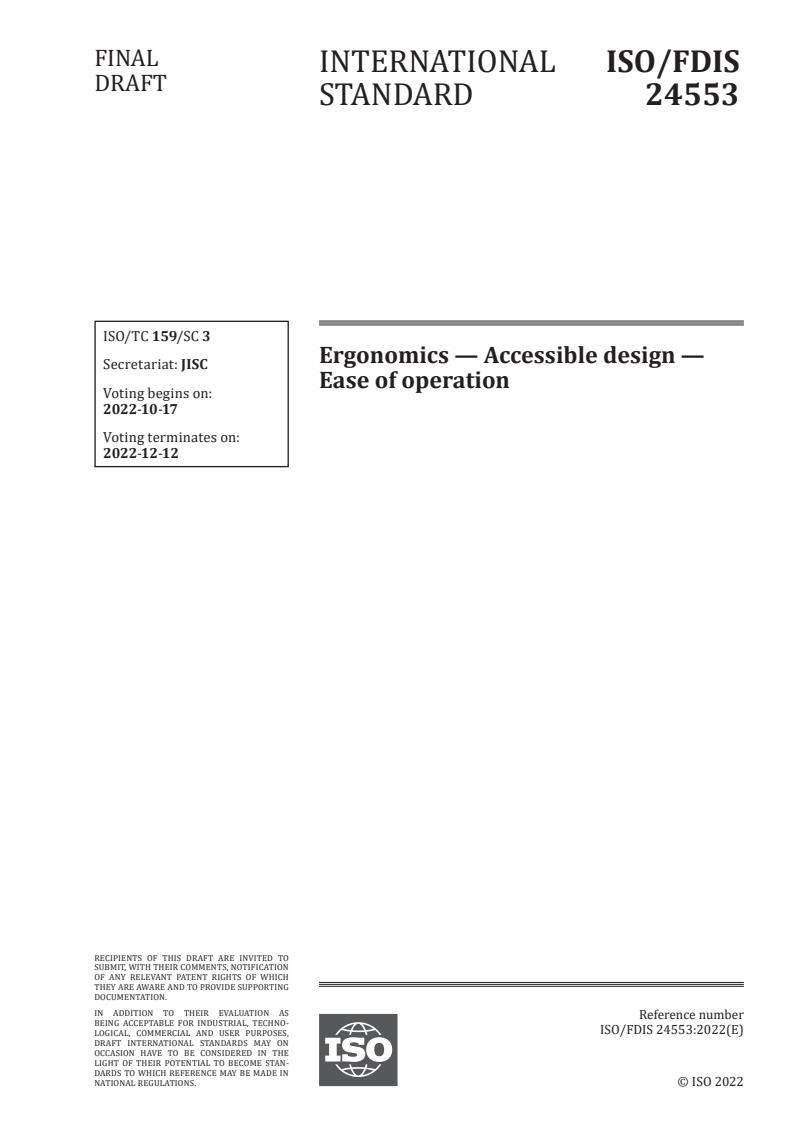
FINAL
INTERNATIONAL ISO/FDIS
DRAFT
STANDARD 24553
ISO/TC 159/SC 3
Ergonomics — Accessible design —
Secretariat: JISC
Ease of operation
Voting begins on:
2022-10-17
Voting terminates on:
2022-12-12
RECIPIENTS OF THIS DRAFT ARE INVITED TO
SUBMIT, WITH THEIR COMMENTS, NOTIFICATION
OF ANY RELEVANT PATENT RIGHTS OF WHICH
THEY ARE AWARE AND TO PROVIDE SUPPOR TING
DOCUMENTATION.
IN ADDITION TO THEIR EVALUATION AS
Reference number
BEING ACCEPTABLE FOR INDUSTRIAL, TECHNO-
ISO/FDIS 24553:2022(E)
LOGICAL, COMMERCIAL AND USER PURPOSES,
DRAFT INTERNATIONAL STANDARDS MAY ON
OCCASION HAVE TO BE CONSIDERED IN THE
LIGHT OF THEIR POTENTIAL TO BECOME STAN-
DARDS TO WHICH REFERENCE MAY BE MADE IN
NATIONAL REGULATIONS. © ISO 2022
ISO/FDIS 24553:2022(E)
FINAL
INTERNATIONAL ISO/FDIS
DRAFT
STANDARD 24553
ISO/TC 159/SC 3
Ergonomics — Accessible design —
Secretariat: JISC
Ease of operation
Voting begins on:
Voting terminates on:
© ISO 2022
All rights reserved. Unless otherwise specified, or required in the context of its implementation, no part of this publication may
be reproduced or utilized otherwise in any form or by any means, electronic or mechanical, including photocopying, or posting on
the internet or an intranet, without prior written permission. Permission can be requested from either ISO at the address below
or ISO’s member body in the country of the requester.
RECIPIENTS OF THIS DRAFT ARE INVITED TO
ISO copyright office
SUBMIT, WITH THEIR COMMENTS, NOTIFICATION
OF ANY RELEVANT PATENT RIGHTS OF WHICH
CP 401 • Ch. de Blandonnet 8
THEY ARE AWARE AND TO PROVIDE SUPPOR TING
CH-1214 Vernier, Geneva
DOCUMENTATION.
Phone: +41 22 749 01 11
IN ADDITION TO THEIR EVALUATION AS
Reference number
Email: copyright@iso.org
BEING ACCEPTABLE FOR INDUSTRIAL, TECHNO
ISO/FDIS 24553:2022(E)
Website: www.iso.org
LOGICAL, COMMERCIAL AND USER PURPOSES,
DRAFT INTERNATIONAL STANDARDS MAY ON
Published in Switzerland
OCCASION HAVE TO BE CONSIDERED IN THE
LIGHT OF THEIR POTENTIAL TO BECOME STAN
DARDS TO WHICH REFERENCE MAY BE MADE IN
ii
NATIONAL REGULATIONS. © ISO 2022
ISO/FDIS 24553:2022(E)
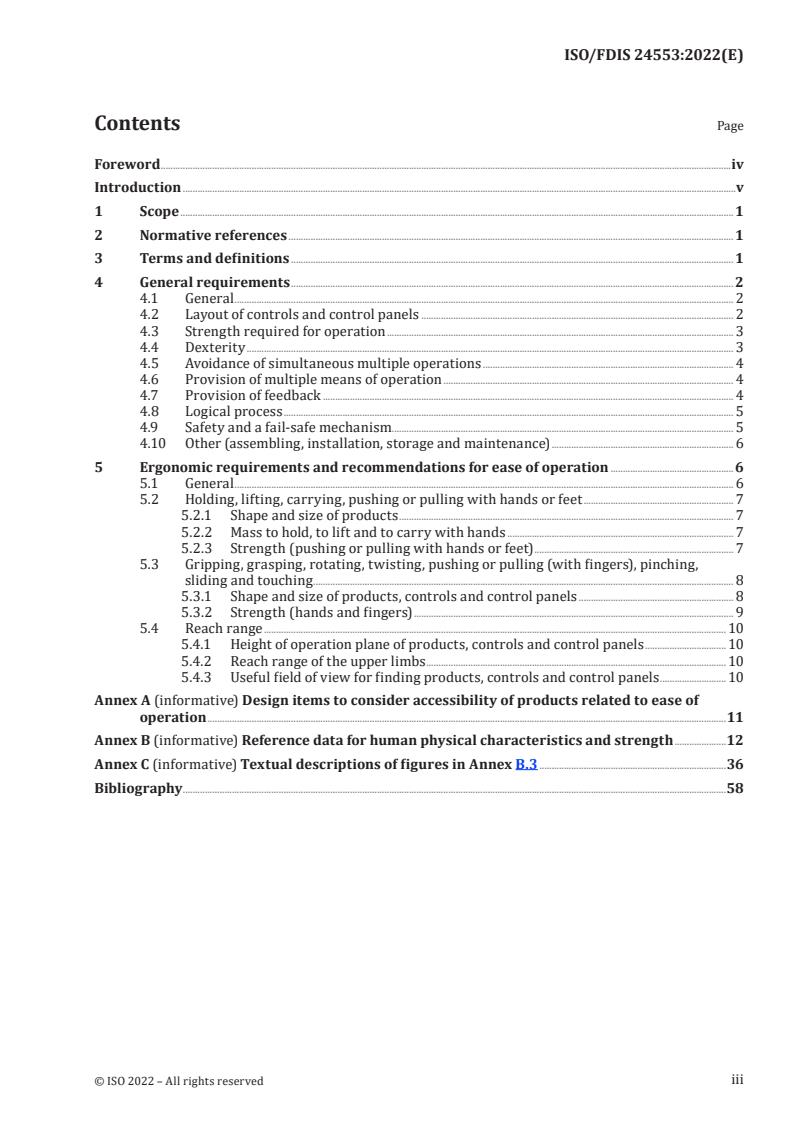
Contents Page
Foreword .iv
Introduction .v
1 Scope . 1
2 Normative references . 1
3 Terms and definitions . 1
4 General requirements . 2
4.1 General . 2
4.2 Layout of controls and control panels . 2
4.3 Strength required for operation . 3
4.4 Dexterity . 3
4.5 Avoidance of simultaneous multiple operations . 4
4.6 Provision of multiple means of operation . 4
4.7 Provision of feedback . 4
4.8 Logical process . 5
4.9 Safety and a fail-safe mechanism. 5
4.10 Other (assembling, installation, storage and maintenance) . 6
5 Ergonomic requirements and recommendations for ease of operation .6
5.1 General . 6
5.2 Holding, lifting, carrying, pushing or pulling with hands or feet . 7
5.2.1 Shape and size of products . 7
5.2.2 Mass to hold, to lift and to carry with hands . 7
5.2.3 Strength (pushing or pulling with hands or feet) . 7
5.3 Gripping, grasping, rotating, twisting, pushing or pulling (with fingers), pinching,
sliding and touching . 8
5.3.1 Shape and size of products, controls and control panels . 8
5.3.2 Strength (hands and fingers) . 9
5.4 Reach range . 10
5.4.1 Height of operation plane of products, controls and control panels . 10
5.4.2 Reach range of the upper limbs . 10
5.4.3 Useful field of view for finding products, controls and control panels . 10
Annex A (informative) Design items to consider accessibility of products related to ease of
operation .11
Annex B (informative) Reference data for human physical characteristics and strength .12
Annex C (informative) Textual descriptions of figures in Annex B.3 .36
Bibliography .58
iii
ISO/FDIS 24553:2022(E)
Foreword
ISO (the International Organization for Standardization) is a worldwide federation of national standards
bodies (ISO member bodies). The work of preparing International Standards is normally carried out
through ISO technical committees. Each member body interested in a subject for which a technical
committee has been established has the right to be represented on that committee. International
organizations, governmental and nongovernmental, in liaison with ISO, also take part in the work.
ISO collaborates closely with the International Electrotechnical Commission (IEC) on all matters of
electrotechnical standardization.
The procedures used to develop this document and those intended for its further maintenance are
described in the ISO/IEC Directives, Part 1. In particular, the different approval criteria needed for the
different types of ISO documents should be noted. This document was drafted in accordance with the
editorial rules of the ISO/IEC Directives, Part 2 (see www.iso.org/directives).
Attention is drawn to the possibility that some of the elements of this document may be the subject of
patent rights. ISO shall not be held responsible for identifying any or all such patent rights. Details of
any patent rights identified during the development of the document will be in the Introduction and/or
on the ISO list of patent declarations received (see www.iso.org/patents).
Any trade name used in this document is information given for the convenience of users and does not
constitute an endorsement.
For an explanation of the voluntary nature of standards, the meaning of ISO specific terms and
expressions related to conformity assessment, as well as information about ISO's adherence to
the World Trade Organization (WTO) principles in the Technical Barriers to Trade (TBT), see
www.iso.org/iso/foreword.html.
This document was prepared by Technical Committee ISO/TC 159, Ergonomics, Subcommittee SC 3,
Anthropometry and biomechanics.
Any feedback or questions on this document should be directed to the user’s national standards body. A
complete listing of these bodies can be found at www.iso.org/members.html.
iv
ISO/FDIS 24553:2022(E)
Introduction
Operation of products and equipment used in everyday life requires a range of human physical
characteristics and capabilities. The range is broad, including very limited capabilities among parts of
the population. To improve operating accessibility, products and equipment must be designed using
ergonomic principles related to physical characteristics, capabilities and limitations among populations.
This document provides ergonomic considerations for design to increase the operating accessibility of
products and equipment specific to human physical characteristics, capabilities and limitations (e.g.
body size, reach range, strength, dexterity).
This document adopts the guidance on accessibility given in ISO/IEC Guide 71 and ergonomics data
given in ISO/TR 22411.
v
FINAL DRAFT INTERNATIONAL STANDARD ISO/FDIS 24553:2022(E)
Ergonomics — Accessible design — Ease of operation
1 Scope
This document provides ergonomic requirements and recommendations for increasing accessibility in
terms of ease of operation through the design of products and controls of daily use. It is intended to aid
the design of products and equipment that can be handled and manipulated easily and comfortably by
people with the widest range of physical characteristics, capabilities and limitations across the widest
age range.
The requirements and recommendations specified in this document are based on general accessibility
considerations as well as specific design considerations based on human physical characteristics,
capabilities and limitations related to the operation of products and equipment, such as body size,
strength, reach range and dexterity. Some considerations of cognitive factors are also presented.
Products and equipment for professional use only, as well as those used only by technical experts, are
not covered in this document. Design aspects related only to information and marking are not included.
This document includes no general ergonomic requirements or recommendations for manual handling,
working postures or safety of machinery but the contents are based on general knowledge of those
issues.
NOTE ISO 11226, ISO 112281, ISO 112282, ISO 112283, EN 8943+A1, EN 10052, EN 10053, EN 10054
and EN 1005-5 provide ergonomic requirements and recommendations for manual handling, working postures
and safety of machinery.
2 Normative references
ISO 202821:2006, Ease of operation of everyday products — Part 1: Design requirements for context of
use and user characteristics
IEC 63008:2020, Household and similar electrical appliances — Accessibility of control elements, doors,
lids, drawers and handles
EN 301 549, V3.1.1:2019, Accessibility requirements for ICT products and services
3 Terms and definitions
For the purposes of this document, the following terms and definitions apply.
ISO and IEC maintain terminology databases for use in standardization at the following addresses:
— ISO Online browsing platform: available at https:// www .iso .org/ obp
— IEC Electropedia: available at https:// www .electropedia .org/
3.1
control
element of a product with which a user operates the product
EXAMPLE Buttons, levers, knobs.
3.2
control panel
board that integrates controls, including information and marking
ISO/FDIS 24553:2022(E)
3.3
information and marking
visual or tactile characters and symbols, written or spoken instructions, and other indicators provided
with the product to assist the user with its operation and use
EXAMPLE Labels, meters, indicators.
3.4
operation
action that a user performs to achieve an intended goal supported by the predefined behaviour of the
product
EXAMPLE Lifting, lowering, carrying, gripping, rotating, pushing, sliding, touching.
Note 1 to entry: See Annex A.
3.5
ease of operation
extent to which a product, control or control panel is used with ease and comfort
4 General requirements
4.1 General
Subclauses 4.2 to 4.10 provide general accessibility requirements and recommendations for ease
of operation. The design of products, controls and control panels shall take into account these
requirements and recommendations.
Considerations on user characteristics related to everyday products shall be in accordance with
ISO 202821:2006, Clause 7.
Safety issues in general shall take precedence over any accessibility requirements and recommendations.
4.2 Layout of controls and control panels
Placing a control and a control panel for users to access without bending or stretching increases
accessibility, accommodating the widest range of seated and standing anthropometry (including use of
a wheelchair) to the product. A control or control panel that is prominent and identifiable also increases
accessibility. See also 5.4.
The following specific design requirements and recommendations are intended to increase accessibility
related to location and layout of a control or control panel:
— The position of a product's control or control panel should be recognizable from the user’s field of
view when he or she is looking at the whole product. See 5.4.3.
— The top–bottom and left–right orientation of a control panel shall be identifiable.
EXAMPLE A tactile marking at the top of a control panel to show upwards for people with limited visual
abilities.
— A product control or control panel shall be located within reach of a user's position. See 5.4.1 and
5.4.2.
— A product control or control panel should be identifiable by its particular shape.
EXAMPLE An input control with a large pushbutton.
— A control should be located in a position that is not hidden by the user’s hands during operation.
ISO/FDIS 24553:2022(E)
NOTE Operation includes actions of various types, such as with a single hand, both hands and hands
with low dexterity, and some actions interfere with seeing or touching a control.
— A control or control panel should have sufficient spacing around it so that the user’s fingers or hands
do not interfere with the operation or with nearby controls or control panels.
— The layout of a control or control panel should be logical and consistent with regard to frequency
and process of use.
EXAMPLE Controls aligned in a sequential order or placed in a group, along with frequency of use.
— Controls should be grouped by a common shape, size and colour when coordinated in operation.
— Each control should have a single function.
— When more than one function is assigned to a single control, information and marking shall be
provided to show the functions.
— Specific controls such as keyboard keys or buttons in a control panel of a product which serve as
“home” keys or buttons should be identifiable with surface features facilitating tactile identification.
EXAMPLE A raised dot on the “5” key in a numeric keypad.
4.3 Strength required for operation
Considerations of population strength characteristics, such as age, sex and physical capabilities and
limitations, for operation of a product and controls that require user strength output (e.g. holding,
gripping, pushing, sliding) increase accessibility.
The following specific design requirements and recommendations are intended to increase accessibility
related to human strength. For the strength of each particular action, see Clause 5.
— Strength for operating a product should be set at the minimum suitable force required for comfort
control.
— A product that needs excessive strength for operation should have an additional device to assist,
thereby decreasing the required strength.
NOTE Some people with physical limitations of the upper or lower limbs, in particular people with
rheumatism or spinal cord injuries, are unable to operate some products.
— When operation of a product requires opening and closing, the actions should require minimal
strength to be accessible by the widest range of population (e.g. age, sex, strength limitations),
except where a fail-safe mechanism and safety considerations are needed (see 4.9).
— Products, controls and control panels shall have a non-slippery surface finish with purchase for
hands or fingers to make operation easier for people with muscle strength limitations.
— When a product uses a touch screen, care should be taken with the appropriate pressing strength.
4.4 Dexterity
Considerations of user’s finger or hand dexterity increases accessibility to ease operation for the widest
range of users, including people with dexterity limitations.
The following specific design requirements and recommendations are intended to increase accessibility
related to dexterity:
— A control should be designed to be operated by people with the widest range of dexterity capabilities
and limitations, including those in a higher age range or with compromised dexterity abilities.
ISO/FDIS 24553:2022(E)
— A control that needs fine dexterity for operation should have an assistive tool or an indicator, such
as a visual scale, to guide the operation.
— Use of different time durations for different operations on the same control, such as a long and
a short pressing time, should be avoided except for particular cases, such as avoiding incorrect
operation or using long and short pressing times to denote different control functions (such as in
touch screens).
NOTE The dexterity is sometimes negatively affected by wearing gloves.
4.5 Avoidance of simultaneous multiple operations
Multiple operations should not be imposed at one time on one operating part of a product.
The following specific design requirements and recommendations are intended to increase accessibility
related to avoidance of simultaneous multiple operations:
— Simultaneous multiple operations, such as pressing and rotating, should not be used except to
ensure safety and to prevent misuse, for example in the case of child-resistant products.
— An alternative method of operation should be provided when simultaneous multiple operations are
provided (see 4.6).
4.6 Provision of multiple means of operation
Provision of multiple means for operating a product or control increases accessibility, enabling the
widest range of users to use the product.
The following specific design requirements and recommendations are intended to increase accessibility
related to multiple means of operation:
— A product should have multiple means of operation for its main parts.
EXAMPLE 1 An input control using either a keyboard, a touch screen or a voice input.
EXAMPLE 2 Operation which requires touching with two fingers can be carried out by touching with just
one finger.
— Compatibility with assistive devices for people with physical limitations should be made possible.
4.7 Provision of feedback
Provision of feedback for operating a control increases accessibility.
The following specific design requirements and recommendations relate to the provision of feedback:
— Operation of a control should prompt acceptance or response feedback to the user through multiple
means of information (e.g. visual, auditory, tactile or haptic).
EXAMPLE A response to show “accepted” or “error” by means of a visual display or an auditory signal.
— For a series of operations, feedback should be given to the user after each operation, together with
information related to the status or stage of the operation.
— For a cyclic series of operations, information related to a starting and an ending stage should be
provided.
EXAMPLE A rotating dial control that stops at an ending stage.
— Reaction time for feedback shall be constant for a group of related operations.
— Tactile or haptic feedback should be used for people with limited visual or hearing abilities.
ISO/FDIS 24553:2022(E)
EXAMPLE A short vibration used for a touch screen input device when operated with a finger.
— When tactile vibration is used as feedback, care should be taken to avoid excessive vibration that
causes discomfort and other problems for human touch.
— The direction and amount of movement of a control should correlate with the resulting change(s) in
a product or an indicator.
EXAMPLE Clockwise rotation of a control denoted by a clockwise turning scale.
4.8 Logical process
Provision of logical and straightforward processes for operating a product increases accessibility when
a sequence of operations is required.
The following specific design requirements or recommendations are intended to increase accessibility
related to the logical process of operating a product:
— Complicated multiple steps in hierarchical processes for operating a product should be avoided.
— Unnecessary repeated actions shall be avoided. If repeated actions are necessary, the times
repetition is necessary should be reduced.
EXAMPLE Use of a single combined operation when the operation is always followed by two or three of
the same sequential operations except for ensuring safety.
— An “undo” function shall be possible for a sequence of operations to stop at any stage and to restart
the sequence from the first operation.
EXAMPLE A press button provided to return to the initial stage of a series of operations at any time.
— A set duration of a timed response for an operation shall be sufficiently long to allow an unfamiliar
or untrained user to operate it comfortably. Notification of a limited time or a residual time for the
operation as well as manual setting for a preferred time by a user should be provided.
— Programmable settings for frequent sequential operations should be provided. The programme
should be able to be easily started and edited by a user.
NOTE A set of sequential operations fixed in a programme is effective for people with limited cognitive
abilities.
— The shape and placement of a control or control panel should be designed so the user intuitively
understands the action which is necessary for its operation.
EXAMPLE A small tab attached to a package that is meant to be pulled.
— A paired operation of a product should be used for easy and intuitive understanding of the mutual
relation of the operations.
EXAMPLE A control using a toggle switch for “ON” and “OFF”, “UP” and “DOWN” or “LEFT and RIGHT”.
4.9 Safety and a fail-safe mechanism
Considerations to ensure safety and a fail-safe mechanism increase accessibility.
The following specific design requirements and recommendations are intended to increase accessibility
related to safety and a fail-safe mechanism:
— A control should be designed to be operated with the minimum suitable force that avoids inadvertent
and unintentional activation.
NOTE People with limited visual abilities can press control buttons unintentionally.
ISO/FDIS 24553:2022(E)
— Reach range, body size and the user position shall be designed to avoid unintentional activation of a
control.
— A control shall be placed apart from other controls or have a lock mechanism or a cover to avoid
unintentional operation.
EXAMPLE 1 A nurse call button in a hospital that is isolated from other controls.
EXAMPLE 2 A lighter with a child-resistant mechanism that is difficult for a child to ignite.
EXAMPLE 3 An emergency push-button with a cover to avoid inadvertent operation.
— A product shall be designed to stop its operation in a safe and nonharmful state after incorrect
operation.
— Warning or caution shall be provided to inform users of the state of a product through multiple
means of sensory information.
— A fail-safe mechanism shall apply to a control, control panel or product.
EXAMPLE A microwave oven that stops warming when the door is opened.
— When incorrect operation occurs in a series of operations, undoing from any point should be made
possible.
— Sharp points or sharp edges shall be avoided when designing a product, a control or a control panel.
— Readily visible warning labels explaining the product mass and operation requirements shall be
provided when necessary.
EXAMPLE A package that has a label showing mass and a warning.
4.10 Other (assembling, installation, storage and maintenance)
The following specific design requirements and recommendations are intended to increase accessibility
related to assembling, installation, storage and maintenance of a product.
— The size, shape and mass of a product shall be designed for easy holding, lifting and carrying (see
5.2).
— A handle or catch for easy holding, lifting and carrying, if attached to a product, should be designed
for easy grasping by hands or fingers and for keeping a mass in balance. A heavy product should be
provided with additional mechanisms for easy manual handling, for example casters (see 5.2).
— When assembling a product, control, control panel or any other part of a product should be
distinguishable in shape and colour for easy understanding of the assembly process.
— A product should be designed for easy installation, mounting and decomposition. Connection of
wiring or attachments should also be easy.
— The layout and process of storing a product shall be easy and understandable.
EXAMPLE The packaging of a product which has instructions for storage.
5 Ergonomic requirements and recommendations for ease of operation
5.1 General
Subclauses 5.2 to 5.4 provide ergonomic requirements and recommendations with regard to physical
actions for ease of operation when designing products, controls and control panels. Annex A provides
a list of design items and human abilities to be considered for accessibility. Annex B provides relevant
ISO/FDIS 24553:2022(E)
data of human abilities with figural representations and Annex C textural descriptions of the figures for
people with difficulties in visually retrieving the figural information.
For household and similar appliances, in particular their controls such as handles, doors, drawers and
lids, the accessibility requirements given in IEC 63008:2020, Clauses 5 to 7 shall apply.
For ICT products, in particular operating parts, the accessibility requirements given in EN 301 549,
V3.1.1:2019, 5.5 to 5.9 shall apply.
5.2 Holding, lifting, carrying, pushing or pulling with hands or feet
5.2.1 Shape and size of products
A product that is operated by holding, lifting, carrying, pushing or pulling with hands or feet should
have a shape and size suitable for these actions to be easily performed by the widest range of users,
taking account of the direction of force, range of movement and posture required to perform the action.
5.2.2 Mass to hold, to lift and to carry with hands
A product that is operated by holding, lifting and carrying with hands should have a mass suitable for
these actions to be easily performed by the widest range of users, taking account of position of the
action (e.g. height), direction of force and posture required to perform the action. The acceptable mass
should be based on population strength data, including age differences, sex differences and the effects
of physical limitations.
A product that has a mass that is difficult or impossible to hold, lift or carry should have a mechanical
assisting device, such as a handle or a grip, for ease of action, or should be provided with other means
of transportation.
NOTE 1 Data related to the acceptable mass for lifting with two hands and for carrying with one or two hands
[15][16]
for male or female persons of different ages have been reported by HQL. The data are useful for designing
the mass of a whole product or a package that is lifted or carried by hand. See B.3.1 and B.3.2.
NOTE 2 Data related to the maximum strength for lifting a crate in a standing posture for male or female
persons of different heights (tall, medium and short) and for different gripping types (side-gripping and bottom-
gripping) has been provided by DIN 33411-5. Male persons exert higher strength than female persons do. The
middle height condition is optimum for yielding lifting strength for both male and female persons. No significant
difference is found between sidegripping and bottomgripping. The data are useful for setting a limit for the
mass of a product for lifting. See B.3.3.
NOTE 3 ISO 11228-1 defines 5 kg as a reference mass for the evaluation of lifting and lowering strength in non-
occupational use for children and older people. It also describes 3 kg as a lower limit for applying the standard.
5.2.3 Strength (pushing or pulling with hands or feet)
A product that is operated by pushing or pulling with the hands or feet should be sufficiently strong
to make these actions suitable and easy for the widest range of users, taking account of the direction
of force, range of movement and posture required to perform these actions. The acceptable strength
should be based on population data that include age differences, sex differences and the effects of
physical limitations.
NOTE 1 Data related to the maximum strength for pushing or pulling with one or two hands for male and
[20] [21]
female persons of different ages have been reported by DTI and TU Delft. The strength for pushing and
pulling is in the range of 100 N to 400 N for one hand and 100 N to 500 N for two hands, both depending on age.
Pushing strength is greater than pulling strength in both cases. The data are useful for designing a door or a cart
pushed or pulled by hand, for example. See B.3.4 and B.3.5.
ISO/FDIS 24553:2022(E)
NOTE 2 Data related to the maximum strength for pressing or lifting a bar and a pedal with the feet for male
[20]
and female persons of different ages have been reported by DTI. The strength is in the range of 50 N to 700 N
for male persons and 50 N to 500 N for female persons, depending on age. The highest strength is found in the age
range of 20 years to 40 years. Pressing strength on a bar is much higher than the lifting strength on a bar and a
pedal. Male persons show higher strength than female persons do. Data are useful for designing brake pedals of
pushchairs or trolleys, for example. See B.3.6.
5.3 Gripping, grasping, rotating, twisting, pushing or pulling (with fingers), pinching,
sliding and touching
5.3.1 Shape and size of products, controls and control panels
A product, control or control panel that is operated by gripping, grasping, rotating, twisting, pushing
or pulling (with fingers), pinching, sliding or touching should have a shape and a size suitable for these
actions to be performed easily by the widest range of users, taking account of the direction of force,
range of movement, posture required to perform the actions and dexterity.
Shapes or sizes that require high dexterity for operation should be avoided for people with dexterity
limitations (e.g. caused by Parkinson's disease or rheumatism).
NOTE 1 Data for the maximum grip diameter measured anthropometrically for the circle made with the
[21]
thumb and the forefinger for male and female persons of different ages have been reported by TU Delft. The
grip diameter measured are in ranges of 39 mm to 43 mm (male) and 36 mm to 39 mm (female), both showing a
gradual decrease with age. These data can be used for the design of grip size for products such as rails, handles
and umbrellas. See B.3.7.
NOTE 2 Grips of different diameters are in practical use in different design fields depending on the context of
use. Table 1 presents data for some examples.
Table 1 — Grip diameters for handrails
Context of use Diameter Sources
mm
Handrails in built environment 45 to 60 ISO 21542
(circular shape)
Handrails in built environment 50 to 70 (width) ISO 21542
(elliptical shape) 25 to 50 (depth)
Handrails used for assistive 25 to 45 ISO 17966
products
[16]
Rounded poles 30 to 40 HQL
(in ergonomic experiments)
NOTE 3 Data for steadiness of hand–eye coordination as related to dexterity for male and female persons
[21]
of different ages have been reported by TU Delft. The steadiness was measured using a task in which
a thin needle was inserted into a hole without touching the hole edge. This hand–eye coordination gradually
deteriorates with age, which means that dexterity decreases with age. The data are useful for designing pointing
devices for computers and ticket inserting machines, for example. See B.3.8.
NOTE 4 The maximum angle of inward rotation (pronation) and outward rotation (supination) of the wrist
[21]
for male and female persons of different ages have been reported by TU Delft. Reduction of the movable range
with age is found for outward rotation, with no significant change for inward rotation. The wrists of female
persons are more flexible than male persons. Data are useful for designing, for example, a rotational knob, a key
or a screwdriver. See B.3.9.
NOTE 5 Data for the diameter of a circular dial for ease of rotation with fingers for male and female persons of
[18]
different ages have been reported by HQL. Data show that a diameter of 20 mm to 25 mm is easily achievable
for rotation with the fingers. The data are useful for designing circular dials of household appliances, for example.
See B.3.10.
ISO/FDIS 24553:2022(E)
NOTE 6 Data for the preferred stroke length for ease of pushing a small button with the forefinger were
[22]
reported by Kikuchi et al. for people of different ages. Strokes in the range of 0,5 mm to 1,0 mm were most
preferred by people of all ages, with a slight tendency that older people preferred a longer stroke than younger
people. The data are useful for designing small push-buttons used for household appliances, for example. See
B.3.11.
5.3.2 Strength (hands and fingers)
A product, a control or a control panel that is operated by gripping, grasping, rotating, twisting,
pushing or pulling (with fingers), pinching, sliding and touching with hands or fingers should be
sufficiently strong for these actions to be performed easily by the widest range of users, taking account
of the position of the action (e.g. height), direction of force and posture required to perform the action.
The acceptable strength should be based on population strength data that include age differences,
sex differences and the effects of physical limitations. Consideration should be devoted to height for
wheelchair users, in particular.
A product, a control or a control panel that is operated by the hands and fingers should be designed so
that people with limitations of strength or of dexterity of hands or fingers (e.g. because of Parkinson's
disease or rheumatism) are able to operate it.
NOTE 1 Data for maximum grip strength for male and female persons of different ages are available from
[23][24][25] [21] [26]
scientific papers and research project reports (TU Delft, MEXT ). Male grip strength is in the
range of 100 N to 550 N and female grip strength is in the range of 100 N to 350 N, depending on age. They
respectively show the highest values at 20 years to 30 years of age, gradually decreasing with age thereafter. The
data are useful for designing products that require squeezing with the hands, such as refuelling hoses and pliers.
See B.3.12.
[27] [18]
NOTE 2 Data for the maximum twisting strength of the wrist have been reported by NITE and DTI using
circular knobs of 50 mm diameter (NITE) and of 40 mm diameter (DTI) for male and female persons of different
ages. The necessary twisting strength is in the range of 3 Nm to 5 Nm for male adults and 2 Nm to 4 Nm for female
adults, depending on the grip type and knob type. The strength increases with age from 2 years to 20 years until
it reaches a plateau, which remains until 60 years of age. It then decreases. No significant difference was found
between inward and outward rotation. The data are useful for designing doorknobs, keys and dials for household
appliances, for example. See B.3.13.
[27]
NOTE 3 Data for the maximum twisting strength of the upper limbs have been reported by NITE. The data
were sampled from 38 male persons and 42 female persons who were 60 years to 73 years old. The maximum
torque strength is about 5 Nm to 8 Nm for male persons and 3 Nm to 5 Nm for female persons. The necessary
torque for inward rotation (pronation) is greater than that for outwards rotation (supination). The data are
useful for designing large and heavy handles for household appliances, for example. See B.3.14.
[19]
NOTE 4 Data for the maximum torque with two hands for jar opening have been reported by DTI and TU
[21]
Delft for male and female persons of different ages. The opening torque ranges from 3 Nm to 10 Nm for male
adults and from 2 Nm to 6 Nm for female adults, depending on the jar diameter and the lid type. The typical
ageing effect is a rather steep increase up to about 20 years, a plateau in adulthood and a gradual decrease with
age thereafter. A significant effect is found for the jar diameter and the lid type, i.e. smooth or knurled. The data
are directly useful for designing packages. See B.3.15.
[19] [27]
NOTE 5 Data for the maximum pushing strength with a finger have been reported by DTI and NITE
for male and female persons of difference age groups. The DTI data show strength to be in the range of 120 N
to 180 N for male adults and 80 N to 130 N for female adults, whereas NITE data show the range as 40 N to
60 N for male adults and 30 N to 60 N for female adults. This difference depends on the measurement method
employed: a force plate for DTI and a real push-button for NITE. No large difference is found between forward
and downward pushing, but a significant difference exists between the forefinger and the thumb. The data are
useful for designing push-buttons of various types used in home appliances. See B.3.16.
NOTE 6 Data for the maximum pulling strength with a finger have been reported by DTI for a practical case of
[20]
pulling on a can ring pull. The data were collected from male and female persons of different ages for two ring
pull positions: horizontal and vertical to the top of the can (see Figure B.17). The pulling strength is 50 N to 150 N
for male adults and 30 N to 100 N for female adults, reflecting the general ageing effect. The data are directly
useful for designing the ring pull of a can. See B.3.17.
ISO/FDIS 24553:2022(E)
NOTE 7 Data for pinching strength with fingers have been reported in scientific papers for male and female
[23][24][28]
persons of different ages. The data are shown for three types of pinching: tip pinch, key pinch and
palmar pinch (i.e. three fingers pulp pinch). The pinching strength ranges from 80 N to 120 N for male adults and
50 N to 80 N for female adults, depending on the type of pinching. Data show a general age-related change for a
span of life. The key pinch and the palmar pinch yield nearly the same strength. The data are useful for designing
clips or controls, for example, that use pinching for operation. See B.3.18.
5.4 Reach range
5.4.1 Height of operation plane of products, controls and control panels
Products, controls and control panels should be placed on a plane at a suitable height that allows ease
of operation for the widest range of users, taking account of the type of action and the posture required
to perform the action. An acceptable height for the operation plane should be based on population data
that includes age differences, sex differences and the effects of physical limitations. Consideration
should be devoted to height for wheelchair users, in particular.
[18]
NOTE Data for acceptable height of an operation plane have been reported by HQL for the case of vertically
pushing a button placed on a horizontal plane. Data are sampled from both male and female persons of different
ages when standing and sitting. Whereas female persons prefer the height at olecranon (the lowest elbow point)
when sitting, the height of about 90 % of olecranon is preferred for the standing posture by both male and female
persons. The acceptable range of height (i.e. between the upper and lower acceptable limit) decreases with age.
The data are useful for designing the height of desks, shelves and control panels of house appliances. See B.3.19.
5.4.2 Reach range of the upper limbs
A product, a control or a control panel should be placed so it is reachable or can be operated by the
hands or fingers by the widest range of users, taking account of the type of operation and the required
posture of the user. An acceptable reach range should be based on population data, taking account of
stature, posture (standing or sitting) and effort (comfort or maximum with or without special body
motion needed for reaching, such as bending trunk).
The comfortable reach range should be used for cases in which the user’s hand or finger frequently
reaches a product, control or control panel. The maximum reach range should be used for cases in
which the user’s hand or finger occasionally reaches a product, control or control panel. In both cases,
a product, control or control panel should be placed within the shortest reach range found for the user
group.
NOTE 1 Data for the reach range of the upper limbs for simple touching, comfortable and maximum, for groups
[21]
of different ages and statures have been reported by TU Delft. Data were given for the vertical reach range in
a standing posture and for the horizontal reach range in a sitting posture. The effects of age and stature are
significant. The reach range becomes smaller with age and with smaller stature. The data are useful for designing
kitc
...
2022-07-2910-03
ISO/FDIS 24553:2022(E)
ISO/TC 159/SC 3
Secretariat: JISC
Ergonomics — Accessible design — Ease of operation
ISO/FDIS 24553:2022(E)
All rights reserved. Unless otherwise specified, no part of this publication may be reproduced or
utilized otherwise in any form or by any means, electronic or mechanical, including photocopying,
or posting on the internet or an intranet, without prior written permission. Permission can be
requested from either ISO at the address below or ISO’s member body in the country of the
requester.
ISO copyright office
Ch. de Blandonnet 8 • CP 401
CH-1214 Vernier, Geneva, Switzerland
Tel. + 41 22 749 01 11
Fax + 41 22 749 09 47
copyright@iso.org
www.iso.org
ii © ISO 2022 – All rights reserved
ISO/FDIS 24553:2022(E)
Contents
Foreword . iv
Introduction . v
1 Scope . 1
2 Normative references . 1
3 Terms and definitions . 1
4 General requirements . 2
4.1 General . 2
4.2 Layout of controls and control panels . 2
4.3 Strength required for operation . 3
4.4 Dexterity . 4
4.5 Avoidance of simultaneous multiple operations . 4
4.6 Provision of multiple means of operation . 4
4.7 Provision of feedback . 5
4.8 Logical process . 5
4.9 Safety and a fail-safe mechanism . 6
4.10 Other (assembling, installation, storage and maintenance) . 7
5 Ergonomic requirements and recommendations for ease of operation . 7
5.1 General . 7
5.2 Holding, lifting, carrying, pushing or pulling with hands or feet . 8
5.2.1 Shape and size of products . 8
5.2.2 Mass to hold, to lift and to carry with hands . 8
5.2.3 Strength (pushing or pulling with hands or feet) . 8
5.3 Gripping, grasping, rotating, twisting, pushing or pulling (with fingers), pinching,
sliding and touching . 9
5.3.1 Shape and size of products, controls and control panels . 9
5.3.2 Strength (hands and fingers) . 10
5.4 Reach range . 11
5.4.1 Height of operation plane of products, controls and control panels . 11
5.4.2 Reach range of the upper limbs . 11
5.4.3 Useful field of view for finding products, controls and control panels . 11
Annex A (informative) Design items to consider accessibility of products related to ease of
operation . 13
Annex B (informative) Reference data for human physical characteristics and strength. 15
Annex C (informative) Textual descriptions of figures in Annex B.3 . 50
Bibliography . 74
ISO/FDIS 24553:2022(E)
Foreword
ISO (the International Organization for Standardization) is a worldwide federation of national standards
bodies (ISO member bodies). The work of preparing International Standards is normally carried out
through ISO technical committees. Each member body interested in a subject for which a technical
committee has been established has the right to be represented on that committee. International
organizations, governmental and non-governmental, in liaison with ISO, also take part in the work. ISO
collaborates closely with the International Electrotechnical Commission (IEC) on all matters of
electrotechnical standardization.
The procedures used to develop this document and those intended for its further maintenance are
described in the ISO/IEC Directives, Part 1. In particular, the different approval criteria needed for the
different types of ISO documents should be noted. This document was drafted in accordance with the
editorial rules of the ISO/IEC Directives, Part 2 (see www.iso.org/directives).
Attention is drawn to the possibility that some of the elements of this document may be the subject of
patent rights. ISO shall not be held responsible for identifying any or all such patent rights. Details of any
patent rights identified during the development of the document will be in the Introduction and/or on
the ISO list of patent declarations received (see www.iso.org/patents).
Any trade name used in this document is information given for the convenience of users and does not
constitute an endorsement.
For an explanation of the voluntary nature of standards, the meaning of ISO specific terms and
expressions related to conformity assessment, as well as information about ISO's adherence to the World
Trade Organization (WTO) principles in the Technical Barriers to Trade (TBT), see
www.iso.org/iso/foreword.html.
This document was prepared by Technical Committee ISO/TC 159, Ergonomics, Subcommittee SC 3,
Anthropometry and biomechanics.
Any feedback or questions on this document should be directed to the user’s national standards body. A
complete listing of these bodies can be found at www.iso.org/members.html.
iv © ISO 2022 – All rights reserved
ISO/FDIS 24553:2022(E)
Introduction
Operation of products and equipment used in everyday life requires a range of human physical
characteristics and capabilities. The range is broad, including very limited capabilities among parts of the
population. To improve operating accessibility, products and equipment must be designed using
ergonomic principles related to physical characteristics, capabilities and limitations among populations.
This document provides ergonomic considerations for design to increase the operating accessibility of
products and equipment specific to human physical characteristics, capabilities and limitations (e.g. body
size, reach range, strength, dexterity).
This document adopts the guidance on accessibility given in ISO/IEC Guide 71 and ergonomics data given
in ISO/TR 22411.
FINAL DRAFT INTERNATIONAL STANDARD ISO/FDIS 24553:2022(E)
Ergonomics — Accessible design — Ease of operation
1 Scope
This document provides ergonomic requirements and recommendations for increasing accessibility in
terms of ease of operation through the design of products and controls of daily use. It is intended to aid
the design of products and equipment that can be handled and manipulated easily and comfortably by
people with the widest range of physical characteristics, capabilities and limitations across the widest
age range.
The requirements and recommendations specified in this document are based on general accessibility
considerations as well as specific design considerations based on human physical characteristics,
capabilities and limitations related to the operation of products and equipment, such as body size,
strength, reach range and dexterity. Some considerations of cognitive factors are also presented.
Products and equipment for professional use only, as well as those used only by technical experts, are not
covered in this document. Design aspects related only to information and marking are not included.
This document includes no general ergonomic requirements or recommendations for manual handling,
working postures or safety of machinery but the contents are based on general knowledge of those issues.
NOTE ISO 11226, ISO 11228--1, ISO 11228--2, ISO 11228--3, EN 894-3+A1, EN 1005--2, EN 1005--3, EN 1005--4
and EN 1005-5 provide ergonomic requirements and recommendations for manual handling, working postures and
safety of machinery.
2 Normative references
ISO 20282--1:2006, Ease of operation of everyday products — Part 1: Design requirements for context of
use and user characteristics
IEC 63008:2020, Household and similar electrical appliances — Accessibility of control elements, doors, lids,
drawers and handles
EN 301 549, V3.1.1:2019, Accessibility requirements for ICT products and services
3 Terms and definitions
For the purposes of this document, the following terms and definitions apply.
ISO and IEC maintain terminology databases for use in standardization at the following addresses:
— ISO Online browsing platform: available at https://www.iso.org/obp
— IEC Electropedia: available at https://www.electropedia.org/
3.1
control
ISO/FDIS 24553:2022(E)
element of a product with which a user operates the product
EXAMPLES Buttons, levers, knobs.
3.2
control panel
board that integrates controls, including information and marking
3.3
information and marking
visual or tactile characters and symbols, written or spoken instructions, and other indicators provided
with the product to assist the user with its operation and use
EXAMPLES Labels, meters, indicators.
3.4
operation
action that a user performs to achieve an intended goal supported by the predefined behaviour of the
product
EXAMPLES Lifting, lowering, carrying, gripping, rotating, pushing, sliding, touching.
Note 1 to entry: See Annex A.
3.5
ease of operation
extent to which a product, control or control panel is used with ease and comfort
4 General requirements
4.1 General
Subclauses 4.2 to 4.10 provide general accessibility requirements and recommendations for ease of
operation. The design of products, controls and control panels shall take into account these requirements
and recommendations.
Considerations on user characteristics related to everyday products shall be in accordance with
ISO 20282--1:2006, Clause 7.
Safety issues in general shall take precedence over any accessibility requirements and recommendations.
4.2 Layout of controls and control panels
Placing a control and a control panel for users to access without bending or stretching increases
accessibility, accommodating the widest range of seated and standing anthropometry (including use of a
wheelchair) to the product. A control or control panel that is prominent and identifiable also increases
accessibility. See also 5.4.
The following specific design requirements and recommendations are intended to increase accessibility
related to location and layout of a control or control panel:
— The position of a product's control or control panel should be recognizable from the user’s field of
view when he or she is looking at the whole product. See 5.4.3.
— The top–bottom and left–right orientation of a control panel shall be identifiable.
2 © ISO 2022 – All rights reserved
ISO/FDIS 24553:2022(E)
EXAMPLE A tactile marking at the top of a control panel to show upwards for people with limited visual
abilities.
— A product control or control panel shall be located within reach of a user's position. See 5.4.1 and
5.4.2.
— A product control or control panel should be identifiable by its particular shape.
EXAMPLE An input control with a large push-button.
— A control should be located in a position that is not hidden by the user’s hands during operation.
NOTE Operation includes actions of various types, such as with a single hand, both hands and hands with low
dexterity, and some actions interfere with seeing or touching a control.
— A control or control panel should have sufficient spacing around it so that the user’s fingers or hands
do not interfere with the operation or with nearby controls or control panels.
— The layout of a control or control panel should be logical and consistent with regard to frequency and
process of use.
EXAMPLE Controls aligned in a sequential order or placed in a group, along with frequency of use.
— Controls should be grouped by a common shape, size and colour when coordinated in operation.
— Each control should have a single function.
— When more than one function is assigned to a single control, information and marking shall be
provided to show the functions.
— Specific controls such as keyboard keys or buttons in a control panel of a product which serve as
"“home"” keys or buttons should be identifiable with surface features facilitating tactile
identification.
EXAMPLE A raised dot on the "“5"” key in a numeric keypad.
4.3 Strength required for operation
Considerations of population strength characteristics, such as age, sex and physical capabilities and
limitations, for operation of a product and controls that require user strength output (e.g. holding,
gripping, pushing, sliding) increase accessibility.
The following specific design requirements and recommendations are intended to increase accessibility
related to human strength. For the strength of each particular action, see Clause 5.
— Strength for operating a product should be set at the minimum suitable force required for comfort
control.
— A product that needs excessive strength for operation should have an additional device to assist,
thereby decreasing the required strength.
NOTE 1 Some people with physical limitations of the upper or lower limbs, in particular people with
rheumatism or spinal cord injuries, are unable to operate some products.
ISO/FDIS 24553:2022(E)
— When operation of a product requires opening and closing, the actions should require minimal
strength to be accessible by the widest range of population (e.g. age, sex, strength limitations), except
where a fail-safe mechanism and safety considerations are needed (see 4.9).
— Products, controls and control panels shall have a non-slippery surface finish with purchase for
hands or fingers to make operation easier for people with muscle strength limitations.
— When a product uses a touch screen, care should be taken with the appropriate pressing strength.
4.4 Dexterity
Considerations of user’s finger or hand dexterity increases accessibility to ease operation for the widest
range of users, including people with dexterity limitations.
The following specific design requirements and recommendations are intended to increase accessibility
related to dexterity:
— A control should be designed to be operated by people with the widest range of dexterity capabilities
and limitations, including those in a higher age range or with compromised dexterity abilities.
— A control that needs fine dexterity for operation should have an assistive tool or an indicator, such as
a visual scale, to guide the operation.
— Use of different time durations for different operations on the same control, such as a long and a short
pressing time, should be avoided except for particular case likecases, such as avoiding incorrect
operation or using long and a short pressing timetimes to denote different control functions (such as
in touch screens).
NOTE The dexterity is sometimes negatively affected by wearing gloves.
4.5 Avoidance of simultaneous multiple operations
Multiple operations should not be imposed at one time on one operating part of a product.
The following specific design requirements and recommendations are intended to increase accessibility
related to avoidance of simultaneous multiple operations:
— Simultaneous multiple operations, such as pressing and rotating, should not be used except to ensure
safety and to prevent misuse, for example in the case of child-resistant products.
— An alternative method of operation should be provided when simultaneous multiple operations are
provided (see 4.6).
4.6 Provision of multiple means of operation
Provision of multiple means for operating a product or control increases accessibility, enabling the widest
range of users to use the product.
The following specific design requirements and recommendations are intended to increase accessibility
related to multiple means of operation:
— A product should have multiple means of operation for its main parts.
EXAMPLE 1 An input control using either a keyboard, a touch screen or a voice input.
4 © ISO 2022 – All rights reserved
ISO/FDIS 24553:2022(E)
EXAMPLE 2 Operation which requires touching with two fingers can be carried out by touching with just one
finger.
— Compatibility with assistive devices for people with physical limitations should be made possible.
4.7 Provision of feedback
Provision of feedback for operating a control increases accessibility.
The following specific design requirements and recommendations relatedrelate to the provision of
feedback:
— Operation of a control should prompt acceptance or response feedback to the user through multiple
means of information (e.g. visual, auditory or, tactile/ or haptic).
EXAMPLE A response to show “accepted” or “error” by means of a visual display or an auditory signal.
— For a series of operations, feedback should be given to the user after each operation, together with
information related to the status or stage of the operation.
— For a cyclic series of operations, information related to a starting and an ending stage should be
provided.
EXAMPLE A rotating dial control that stops at an ending stage.
— Reaction time for feedback shall be constant for a group of related operations.
— Tactile or haptic feedback should be used for people with limited visual or hearing abilities.
EXAMPLE A short vibration used for a touch screen input device when operated with a finger.
— When tactile vibration is used as feedback, care should be taken to avoid excessive vibration that
causes discomfort and other problems for human touch.
— The direction and amount of movement of a control should correlate with the resulting change(s) in
a product or an indicator.
EXAMPLE Clockwise rotation of a control denoted by a clockwise turning scale.
4.8 Logical process
Provision of logical and straightforward processes for operating a product increases accessibility when a
sequence of operations is required.
The following specific design requirements or recommendations are intended to increase accessibility
related to the logical process of operating a product:
— Complicated multiple steps in hierarchical processes for operating a product should be avoided.
— Unnecessary repeated actions shall be avoided. If repeated actions are necessary, the times repetition
is necessary should be reduced.
EXAMPLE Use of a single combined operation when the operation is always followed by two or three of the
same sequential operations except for ensuring safety.
ISO/FDIS 24553:2022(E)
— An “undo” function shall be possible for a sequence of operations to stop at any stage and to restart
the sequence from the first operation.
EXAMPLE A press button provided to return to the initial stage of a series of operations at any time.
— A set duration of a timed response for an operation shall be sufficiently long to allow an unfamiliar
or untrained user to operate it comfortably. Notification of a limited time or a residual time for the
operation as well as manual setting for a preferred time by a user should be provided.
— Programmable settings for frequent sequential operations should be provided. The programme
should be able to be easily started and edited by a user.
NOTE A set of sequential operations fixed in a programme is effective for people with limited cognitive abilities.
— The shape and placement of a control or control panel should be designed so the user intuitively
understands the action which is necessary for its operation.
EXAMPLE A small tab attached to a package that is meant to be pulled.
— A paired operation of a product should be used for easy and intuitive understanding of the mutual
relation of the operations.
EXAMPLE A control using a toggle switch for “ON” and “OFF”, “UP” and “DOWN” or “LEFT and RIGHT”.
4.9 Safety and a fail-safe mechanism
Considerations to ensure safety and a fail-safe mechanism increase accessibility.
The following specific design requirements and recommendations are intended to increase accessibility
related to safety and a fail-safe mechanism.:
— A control should be designed to be operated with the minimum suitable force that avoids inadvertent
and unintentional activation.
NOTE People with limited visual abilities can press control buttons unintentionally.
— Reach range, body size and the user position shall be designed to avoid unintentional activation of a
control.
— A control shall be placed apart from other controls or have a lock mechanism or a cover to avoid
unintentional operation.
EXAMPLE 1 A nurse call button in a hospital that is isolated from other controls.
EXAMPLE 2 A lighter with a child-resistant mechanism that is difficult for a child to ignite.
EXAMPLE 3 An emergency push-button with a cover to avoid inadvertent operation.
— A product shall be designed to stop its operation in a safe and non-harmful state after incorrect
operation.
— Warning or caution shall be provided to inform users of the state of a product through multiple means
of sensory information.
— A fail-safe mechanism shall apply to a control, control panel, or product.
6 © ISO 2022 – All rights reserved
ISO/FDIS 24553:2022(E)
EXAMPLE A microwave oven that stops warming when the door is opened.
— When incorrect operation occurs in a series of operations, undoing from any point should be made
possible.
— Sharp points or sharp edges shall be avoided when designing a product, a control or a control panel.
— Readily visible warning labels explaining the product mass and operation requirements shall be
provided when necessary.
EXAMPLE A package that has a label showing mass and a warning.
4.10 Other (assembling, installation, storage and maintenance)
The following specific design requirements and recommendations are intended to increase accessibility
related to assembling, installation, storage and maintenance of a product.
— The size, shape and mass of a product shall be designed for easy holding, lifting and carrying (see
5.2).
— A handle or catch for easy holding, lifting and carrying, if attached to a product, should be designed
for easy grasping by hands or fingers and for keeping a mass in balance. A heavy product should be
provided with additional mechanisms for easy manual handling, for example casters (see 5.2).
— When assembling a product, control, control panel or any other part of a product should be
distinguishable in shape and colour for easy understanding of the assembly process.
— A product should be designed for easy installation, mounting and decomposition. Connection of
wiring or attachments should also be easy.
— The layout and process of storing a product shall be easy and understandable.
EXAMPLE The packaging of a product which has instructions for storage.
5 Ergonomic requirements and recommendations for ease of operation
5.1 General
Subclauses 5.2 to 5.4 provide ergonomic requirements and recommendations with regard to physical
actions for ease of operation when designing products, controls and control panels. Annex A provides a
list of design items and human abilities to be considered for accessibility. Annex B provides relevant data
of human abilities with figural representations and Annex C textural descriptions of the figures for people
with difficulties in visually retrieving the figural information.
For household and similar appliances, in particular their controls such as handles, doors, drawers and
lids, the accessibility requirements given in IEC 63008:2020, Clauses 5 to 7 shall apply.
For ICT products, in particular operating parts, the accessibility requirements given in EN 301 549,
V3.1.1:2019, 5.5 to 5.9 shall apply.
ISO/FDIS 24553:2022(E)
5.2 Holding, lifting, carrying, pushing or pulling with hands or feet
5.2.1 Shape and size of products
A product that is operated by holding, lifting, carrying, pushing or pulling with hands or feet should have
a shape and size suitable for these actions to be easily performed by the widest range of users, taking
account of the direction of force, range of movement and posture required to perform the action.
5.2.2 Mass to hold, to lift and to carry with hands
A product that is operated by holding, lifting and carrying with hands should have a mass suitable for
these actions to be easily performed by the widest range of users, taking account of position of the action
(e.g. height), direction of force and posture required to perform the action. The acceptable mass should
be based on population strength data, including age differences, sex differences and the effects of physical
limitations.
A product that has a mass that is difficult or impossible to hold, lift or carry should have a mechanical
assisting device, such as a handle or a grip, for ease of action, or should be provided with other means of
transportation.
NOTE 1 Data related to the acceptable mass for lifting with two hands and for carrying with one or two hands for
[ [15][16] ]
male or female persons of different ages have been reported by HQL . . The data are useful for designing the
mass of a whole product or a package that is lifted or carried by hand. See B.3.1 and B.3.2.
NOTE 2 Data related to the maximum strength for lifting a crate in a standing posture for male or female persons
of different heights (high, middletall, medium and lowshort) and for different gripping types (side-gripping and
bottom-gripping) has been provided by DIN 33411--5. Male persons exert higher strength than female persons do.
The middle height condition is optimum for yielding lifting strength for both male and female persons. No significant
difference is found between side-gripping and bottom-gripping. The data are useful for setting a limit for the mass
of a product for lifting. See B.3.3.
NOTE 3 ISO 11228-1 defines 5 kg as a reference mass for the evaluation of lifting and lowering strength in non-
occupational use for children and older people. It also describes 3 kg as a lower limit for applying the standard.
5.2.3 Strength (pushing or pulling with hands or feet)
A product that is operated by pushing or pulling with the hands or feet should be sufficiently strong to
make these actions suitable and easy for the widest range of users, taking account of the direction of force,
range of movement and posture required to perform these actions. The acceptable strength should be
based on population data that include age differences, sex differences and the effects of physical
limitations.
NOTE 1 Data related to the maximum strength for pushing or pulling with one or two hands for male and female
[20] [ [21] ]
persons of different ages have been reported by DTI and TU Delft . . The strength for pushing and pulling is in
the range of 100 N to 400 N for one hand and 100 N to 500 N for two hands, both depending on age. Pushing strength
is greater than pulling strength in both cases. The data are useful for designing a door or a cart pushed or pulled by
hand, for example. See B.3.4 and B.3.5.
NOTE 2 Data related to the maximum strength for pressing or lifting a bar and a pedal with the feet for male and
[ [20] ]
female persons of different ages have been reported by DTI . . The strength is in the range of 50 N to 700 N for
male persons and 50 N to 500 N for female persons, depending on age. The highest strength is found in the age range
of 20 years to 40 years. Pressing strength on a bar is much higher than the lifting strength on a bar and a pedal. Male
persons show higher strength than female persons do. Data are useful for designing brake pedals of pushchairs or
trolleys, for example. See B.3.6.
8 © ISO 2022 – All rights reserved
ISO/FDIS 24553:2022(E)
5.3 Gripping, grasping, rotating, twisting, pushing or pulling (with fingers), pinching,
sliding and touching
5.3.1 Shape and size of products, controls and control panels
A product, control or control panel that is operated by gripping, grasping, rotating, twisting, pushing or
pulling (with fingers), pinching, sliding or touching should have a shape and a size suitable for these
actions to be performed easily by the widest range of users, taking account of the direction of force, range
of movement, posture required to perform the actions and dexterity.
Shapes or sizes that require high dexterity for operation should be avoided for people with dexterity
limitations (e.g. caused by Parkinson's disease or rheumatism).
NOTE 1 Data for the maximum grip diameter measured anthropometrically for the circle made with the thumb
[ [21] ]
and the forefinger for male and female persons of different ages have been reported by TU Delft . . The grip
diameter measured are in ranges of 39 mm to 43 mm (male) and 36 mm to 39 mm (female), both showing a gradual
decrease with age. These data can be used for the design of grip size for products such as rails, handles and
umbrellas. See B.3.7.
NOTE 2 Grips of different diameters are in practical use in different design fields depending on the context of use.
Table 1 presents data for some examples.
Table 1 — Grip diameters for handrails
Context of use Diameter Sources
mm
Handrails in built environment 45 to 60 ISO 21542
(circular shape)
Handrails in built environment 50 to 70 (width) ISO 21542
(elliptical shape) 25 to 50 (depth)
Handrails used for assistive 25 to 45 ISO 17966
products
[16]
Rounded poles 30 to 40 HQL
(in ergonomic experiments)
NOTE 3 Data for steadiness of hand–eye coordination as related to dexterity for male and female persons of
[ [21] ]
different ages have been reported by TU Delft . . The steadiness was measured using a task in which a thin needle
was inserted into a hole without touching the hole edge. This hand–eye coordination gradually deteriorates with
age, which means that dexterity decreases with age. The data are useful for designing pointing devices for
computers and ticket inserting machines, for example. See B.3.8.
NOTE 4 The maximum angle of inward rotation (pronation) and outward rotation (supination) of the wrist for
[ [21] ]
male and female persons of different ages have been reported by TU Delft . . Reduction of the movable range with
age is found for outward rotation, with no significant change for inward rotation. The wrists of female persons are
more flexible than male persons. Data are useful for designing, for example, a rotational knob, a key or a screw
driverscrewdriver. See B.3.9.
NOTE 5 Data for the diameter of a circular dial for ease of rotation with fingers for male and female persons of
[ [18] ]
different ages have been reported by HQL . . Data show that a diameter of 20 mm to 25 mm is easily achievable
for rotation with the fingers. The data are useful for designing circular dials of household appliances, for example.
See B.3.10.
ISO/FDIS 24553:2022(E)
NOTE 6 Data for the preferred stroke length for ease of pushing a small button with the forefinger were reported
[ [22] ]
by Kikuchi et al. for people of different ages . . Strokes in the range of 0,5 mm to 1,0 mm were most preferred by
people of all ages, with a slight tendency that older people preferred a longer stroke than younger people. The data
are useful for designing small push-buttons used for household appliances, for example. See B.3.11.
5.3.2 Strength (hands and fingers)
A product, a control or a control panel that is operated by gripping, grasping, rotating, twisting, pushing
or pulling (with fingers), pinching, sliding and touching with hands or fingers should be sufficiently strong
for these actions to be performed easily by the widest range of users, taking account of the position of the
action (e.g. height), direction of force and posture required to perform the action. The acceptable strength
should be based on population strength data that include age differences, sex differences and the effects
of physical limitations. Consideration should be devoted to height for wheelchair users, in particular.
A product, a control or a control panel that is operated by the hands and fingers should be designed so
that people with limitations of strength or of dexterity of hands or fingers (e.g. because of
ParkinsonParkinson's disease or rheumatism) are able to operate it.
NOTE 1 Data for maximum grip strength for male and female persons of different ages are available from scientific
[23][24][25] [ [21] ] [26]
papers and research project reports (TU Delft , , MEXT ). Male grip strength is in the range of 100 N to
550 N and female grip strength is in the range of 100 N to 350 N, depending on age. They respectively show the
highest values at 20 years to 30 years of age, gradually decreasing with age thereafter. The data are useful for
designing products that require squeezing with the hands, such as refuelling hoses and pliers. See B.3.12.
[27] [18]
NOTE 2 Data for the maximum twisting strength of the wrist have been reported by NITE and DTI using
circular knobs of 50 mm diameter (NITE) and of 40 mm diameter (DTI) for male and female persons of different
ages. The necessary twisting strength is in the range of 3 Nm to 5 Nm for male adults and 2 Nm to 4 Nm for female
adults, depending on the grip type and knob type. The strength increases with age from 2 years to 20 years until it
reaches a plateau, which retainsremains until 60 years of age. It then decreases. No significant difference was found
between inward and outward rotation. The data are useful for designing doorknobs, keys and dials for household
appliances, for example. See B.3.13.
[ [27] ]
NOTE 3 Data for the maximum twisting strength of the upper limbs have been reported by NITE . . The data
were sampled from 38 male persons and 42 female persons who were 60 years to 73 years old. The maximum
torque strength is about 5 Nm to 8 Nm for male persons and 3 Nm to 5 Nm for female persons. The necessary torque
for inward rotation (pronation) is greater than that for outwards rotation (supination). The data are useful for
designing large and heavy handles for household appliances, for example. See B.3.14.
[19] [21]
NOTE 4 Data for the maximum torque with two hands for jar opening have been reported by DTI and TU Delft
for male and female persons of different ages. The opening torque ranges from 3 Nm to 10 Nm for male adults and
from 2 Nm to 6 Nm for female adults, depending on the jar diameter and the lid type. The typical ageing effect is a
rather steep increase up to about 20 years, a plateau in adulthood and a gradual decrease with age thereafter. A
significant effect is found for the jar diameter and the lid type, i.e. smooth or knurled. The data are directly useful
for designing packages. See B.3.15.
[19] [27]
NOTE 5 Data for the maximum pushing strength with a finger have been reported by DTI and NITE for male
and female persons of difference age groups. The DTI data show strength to be in the range of 120 N to 180 N for
male adults and 80 N to 130 N for female adults, whereas NITE data show the range as 40 N to 60 N for male adults
and 30 N to 60 N for female adults. This difference depends on the measurement method employed: a force plate
for DTI and a real push-button for NITE. No large difference is found between forward and downward pushing, but
a significant difference exists between the forefinger and the thumb. The data are useful for designing push-
buttonbuttons of various types used in home appliances. See B.3.16.
NOTE 6 Data for the maximum pulling strength with a finger have been reported by DTI for a practical case of
[ [20] ]
pulling on a can ring -pull . . The data were collected from male and female persons of different ages for two ring
-pull positions: horizontal and vertical to the top of the can (see Figure B.17). The pulling strength is 50 N to 150 N
10 © ISO 2022 – All rights reserved
ISO/FDIS 24553:2022(E)
for male adults and 30 N to 100 N for female adults, reflecting the general ageing effect. The data are directly useful
for designing the ring -pull of a can. See B.3.17.
NOTE 7 Data for pinching strength with fingers have been reported in scientific papers for male and female
[ [23][24][28] ]
persons of different ages . . The data are shown for three types of pinching: tip pinch, key pinch and palmar
pinch (i.e. three fingers pulp pinch). The pinching strength ranges from 80 N to 120 N for male adults and 50 N to
80 N for female adults, depending on the type of pinching. Data show a general age-related change for a span of life.
The key pinch and the palmar pinch yield nearly the same strength. The data are useful for designing clips or
controls, for example, that use pinching for operation. See B.3.18.
5.4 Reach range
5.4.1 Height of operation plane of products, controls and control panels
Products, controls and control panels should be placed on a plane at a suitable height that allows ease of
operation for the widest range of users, taking account of the type of action and the posture required to
perform the action. An acceptable height for the operation plane should be based on population data that
includes age differences, sex differences and the effects of physical limitations. Consideration should be
devoted to height for wheelchair users, in particular.
[18]
NOTE Data for acceptable height of an operation plane have been reported by HQL for the case of vertically
pushing a button placed on a horizontal plane. Data are sampled from both male and female persons of different
ages when standing and sitting. Whereas female persons prefer the height at olecranon (the lowest elbow point)
when sitting, the height of about 90 % of olecranon is preferred for the standing posture by both male and female
persons. The acceptable range of height (i.e. between the upper and lower acceptable limit) decreases with age. The
data are useful for designing the height of desks, shelves and control panels of house appliances. See B.3.19.
5.4.2 Reach range of the upper limbs
A product, a control andor a control panel should be placed so it is able to be reachable or can be operated
by the hands or fingers by the widest range of users, taking account of the type of operation and the
required posture of the user. An acceptable reach range should be based on population data, taking
account of stature, posture (standing or sitting) and effort (comfort or maximum that iswith or without
or with special body motion needed for reaching, such as bending trunk).
The comfortable reach range should be used for cases in which the user’s hand or finger frequently
reaches a product, control or control panel. The maximum reach range should be used for cases in which
the user’s hand or finger occasionally reaches a product, control or control panel. In both cases, a product,
control or control panel should be placed within the shortest reach range found for the user group.
NOTE 1 Data for the reach range of the upper limbs for simple touching, comfortable and maximum, for groups of
[ [21] ]
different ages and statures have been reported by TU Delft . . Data were given for the vertical reach range in a
standing posture and for the horizontal reach range in a sitting posture. The effects of age and stature are significant.
The reach range becomes smaller with age and with smaller stature. The data are useful for designing kitchen
systems, table sizes and window heights, for example. See B.3.20 for vertical reach range and B.3.21 for horizontal
reach range.
NOTE 2 Data for the horizontal reach range of the upper limbs for grasping of German female persons in the fifth
percentile of body size are provided in DIN Technical Report 124. Data are given for some different contexts of
reaching, such as optimum or extended. The data are useful for design that is related to practical reach range that
requires operations such as grasping. See B.3.22.
5.4.3 Useful field of view for finding products, controls and control panels
A product, control or control panel should be located within a useful field of view for the widest range of
users, taking account of the contrast, colour differences between a control or control panel and
ISO/FDIS 24553:2022(E)
background, and size. An acceptable size of the useful visual field should be based on population data that
includes age differences, sex differences and the effects of visual and cognitive limitations.
NOTE Data for useful field of view for simple detection have been reported in ISO/TR 22411 for young (in their
20s) and older (in their 60s to 80s) people. See ISO/TR 22411:2021, 6.2.11.
12 © ISO 2022 – All rights reserved
ISO/FDIS 24553:2022(E)
Annex A
(informative)
Design items to consider accessibility of products related to ease of
operation
Table A.1 lists product design features and their related human physical abilities to be considered when
addressing operation accessibility.
Table A.1 — Design features and human physical abilities to be considered for accessibility
Product items Design features Human actions and abilities
General: size holdingHolding, lifting, lowering
whole product shape carrying
whole control panel massSize pushingCarrying
Shape Pushing or pulling [by hand(s)]
Mass posturePosture (standing, sitting)
Controls: size pushingPushing or pulling strength
push-button shape gripGrip size
...
INTERNATIONAL ISO
STANDARD 24553
First edition
2023-02
Ergonomics — Accessible design —
Ease of operation
Ergonomie — Conception accessible — Facilité d'emploi
Reference number
© ISO 2023
All rights reserved. Unless otherwise specified, or required in the context of its implementation, no part of this publication may
be reproduced or utilized otherwise in any form or by any means, electronic or mechanical, including photocopying, or posting on
the internet or an intranet, without prior written permission. Permission can be requested from either ISO at the address below
or ISO’s member body in the country of the requester.
ISO copyright office
CP 401 • Ch. de Blandonnet 8
CH-1214 Vernier, Geneva
Phone: +41 22 749 01 11
Email: copyright@iso.org
Website: www.iso.org
Published in Switzerland
ii
Contents Page
Foreword .iv
Introduction .v
1 Scope . 1
2 Normative references . 1
3 Terms and definitions . 1
4 General requirements . 2
4.1 General . 2
4.2 Layout of controls and control panels . 2
4.3 Strength required for operation . 3
4.4 Dexterity . 3
4.5 Avoidance of simultaneous multiple operations . 4
4.6 Provision of multiple means of operation . 4
4.7 Provision of feedback . 4
4.8 Logical process . 5
4.9 Safety and a fail-safe mechanism. 5
4.10 Other (assembling, installation, storage and maintenance) . 6
5 Ergonomic requirements and recommendations for ease of operation .6
5.1 General . 6
5.2 Holding, lifting, carrying, pushing or pulling with hands or feet . 7
5.2.1 Shape and size of products . 7
5.2.2 Mass to hold, to lift and to carry with hands . 7
5.2.3 Strength (pushing or pulling with hands or feet) . 7
5.3 Gripping, grasping, rotating, twisting, pushing or pulling (with fingers), pinching,
sliding and touching . 8
5.3.1 Shape and size of products, controls and control panels . 8
5.3.2 Strength (hands and fingers) . 9
5.4 Reach range . 10
5.4.1 Height of operation plane of products, controls and control panels . 10
5.4.2 Reach range of the upper limbs . 10
5.4.3 Useful field of view for finding products, controls and control panels . 10
Annex A (informative) Design items to consider accessibility of products related to ease of
operation .11
Annex B (informative) Reference data for human physical characteristics and strength .12
Annex C (informative) Textual descriptions of figures in Annex B.3 .37
Bibliography .60
iii
Foreword
ISO (the International Organization for Standardization) is a worldwide federation of national standards
bodies (ISO member bodies). The work of preparing International Standards is normally carried out
through ISO technical committees. Each member body interested in a subject for which a technical
committee has been established has the right to be represented on that committee. International
organizations, governmental and non-governmental, in liaison with ISO, also take part in the work.
ISO collaborates closely with the International Electrotechnical Commission (IEC) on all matters of
electrotechnical standardization.
The procedures used to develop this document and those intended for its further maintenance are
described in the ISO/IEC Directives, Part 1. In particular, the different approval criteria needed for the
different types of ISO documents should be noted. This document was drafted in accordance with the
editorial rules of the ISO/IEC Directives, Part 2 (see www.iso.org/directives).
Attention is drawn to the possibility that some of the elements of this document may be the subject of
patent rights. ISO shall not be held responsible for identifying any or all such patent rights. Details of
any patent rights identified during the development of the document will be in the Introduction and/or
on the ISO list of patent declarations received (see www.iso.org/patents).
Any trade name used in this document is information given for the convenience of users and does not
constitute an endorsement.
For an explanation of the voluntary nature of standards, the meaning of ISO specific terms and
expressions related to conformity assessment, as well as information about ISO's adherence to
the World Trade Organization (WTO) principles in the Technical Barriers to Trade (TBT), see
www.iso.org/iso/foreword.html.
This document was prepared by Technical Committee ISO/TC 159, Ergonomics, Subcommittee SC 3,
Anthropometry and biomechanics.
Any feedback or questions on this document should be directed to the user’s national standards body. A
complete listing of these bodies can be found at www.iso.org/members.html.
iv
Introduction
Operation of products and equipment used in everyday life requires a range of human physical
characteristics and capabilities. The range is broad, including very limited capabilities among parts of
the population. To improve operating accessibility, products and equipment must be designed using
ergonomic principles related to physical characteristics, capabilities and limitations among populations.
This document provides ergonomic considerations for design to increase the operating accessibility of
products and equipment specific to human physical characteristics, capabilities and limitations (e.g.
body size, reach range, strength, dexterity).
This document adopts the guidance on accessibility given in ISO/IEC Guide 71 and ergonomics data
given in ISO/TR 22411.
v
INTERNATIONAL STANDARD ISO 24553:2023(E)
Ergonomics — Accessible design — Ease of operation
1 Scope
This document provides ergonomic requirements and recommendations for increasing accessibility in
terms of ease of operation through the design of products and controls of daily use. It is intended to aid
the design of products and equipment that can be handled and manipulated easily and comfortably by
people with the widest range of physical characteristics, capabilities and limitations across the widest
age range.
The requirements and recommendations specified in this document are based on general accessibility
considerations as well as specific design considerations based on human physical characteristics,
capabilities and limitations related to the operation of products and equipment, such as body size,
strength, reach range and dexterity. Some considerations of cognitive factors are also presented.
Products and equipment for professional use only, as well as those used only by technical experts, are
not covered in this document. Design aspects related only to information and marking are not included.
This document includes no general ergonomic requirements or recommendations for manual handling,
working postures or safety of machinery but the contents are based on general knowledge of those
issues.
NOTE ISO 11226, ISO 11228-1, ISO 11228-2, ISO 11228-3, EN 894-3+A1, EN 1005-2, EN 1005-3, EN 1005-4
and EN 1005-5 provide ergonomic requirements and recommendations for manual handling, working postures
and safety of machinery.
2 Normative references
ISO 20282-1:2006, Ease of operation of everyday products — Part 1: Design requirements for context of
use and user characteristics
IEC 63008:2020, Household and similar electrical appliances — Accessibility of control elements, doors,
lids, drawers and handles
EN 301 549, V3.1.1:2019, Accessibility requirements for ICT products and services
3 Terms and definitions
For the purposes of this document, the following terms and definitions apply.
ISO and IEC maintain terminology databases for use in standardization at the following addresses:
— ISO Online browsing platform: available at https:// www .iso .org/ obp
— IEC Electropedia: available at https:// www .electropedia .org/
3.1
control
element of a product with which a user operates the product
EXAMPLE Buttons, levers, knobs.
3.2
control panel
board that integrates controls, including information and marking
3.3
information and marking
visual or tactile characters and symbols, written or spoken instructions, and other indicators provided
with the product to assist the user with its operation and use
EXAMPLE Labels, meters, indicators.
3.4
operation
action that a user performs to achieve an intended goal supported by the predefined behaviour of the
product
EXAMPLE Lifting, lowering, carrying, gripping, rotating, pushing, sliding, touching.
Note 1 to entry: See Annex A.
3.5
ease of operation
extent to which a product, control or control panel is used with ease and comfort
4 General requirements
4.1 General
Subclauses 4.2 to 4.10 provide general accessibility requirements and recommendations for ease
of operation. The design of products, controls and control panels shall take into account these
requirements and recommendations.
Considerations on user characteristics related to everyday products shall be in accordance with
ISO 20282-1:2006, Clause 7.
Safety issues in general shall take precedence over any accessibility requirements and recommendations.
4.2 Layout of controls and control panels
Placing a control and a control panel for users to access without bending or stretching increases
accessibility, accommodating the widest range of seated and standing anthropometry (including use of
a wheelchair) to the product. A control or control panel that is prominent and identifiable also increases
accessibility. See also 5.4.
The following specific design requirements and recommendations are intended to increase accessibility
related to location and layout of a control or control panel:
— The position of a product's control or control panel should be recognizable from the user’s field of
view when he or she is looking at the whole product. See 5.4.3.
— The top–bottom and left–right orientation of a control panel shall be identifiable.
EXAMPLE A tactile marking at the top of a control panel to show upwards for people with limited visual
abilities.
— A product control or control panel shall be located within reach of a user's position. See 5.4.1 and
5.4.2.
— A product control or control panel should be identifiable by its particular shape.
EXAMPLE An input control with a large push-button.
— A control should be located in a position that is not hidden by the user’s hands during operation.
NOTE Operation includes actions of various types, such as with a single hand, both hands and hands
with low dexterity, and some actions interfere with seeing or touching a control.
— A control or control panel should have sufficient spacing around it so that the user’s fingers or hands
do not interfere with the operation or with nearby controls or control panels.
— The layout of a control or control panel should be logical and consistent with regard to frequency
and process of use.
EXAMPLE Controls aligned in a sequential order or placed in a group, along with frequency of use.
— Controls should be grouped by a common shape, size and colour when coordinated in operation.
— Each control should have a single function.
— When more than one function is assigned to a single control, information and marking shall be
provided to show the functions.
— Specific controls such as keyboard keys or buttons in a control panel of a product which serve as
“home” keys or buttons should be identifiable with surface features facilitating tactile identification.
EXAMPLE A raised dot on the “5” key in a numeric keypad.
4.3 Strength required for operation
Considerations of population strength characteristics, such as age, sex and physical capabilities and
limitations, for operation of a product and controls that require user strength output (e.g. holding,
gripping, pushing, sliding) increase accessibility.
The following specific design requirements and recommendations are intended to increase accessibility
related to human strength. For the strength of each particular action, see Clause 5.
— Strength for operating a product should be set at the minimum suitable force required for comfort
control.
— A product that needs excessive strength for operation should have an additional device to assist,
thereby decreasing the required strength.
NOTE Some people with physical limitations of the upper or lower limbs, in particular people with
rheumatism or spinal cord injuries, are unable to operate some products.
— When operation of a product requires opening and closing, the actions should require minimal
strength to be accessible by the widest range of population (e.g. age, sex, strength limitations),
except where a fail-safe mechanism and safety considerations are needed (see 4.9).
— Products, controls and control panels shall have a non-slippery surface finish with purchase for
hands or fingers to make operation easier for people with muscle strength limitations.
— When a product uses a touch screen, care should be taken with the appropriate pressing strength.
4.4 Dexterity
Considerations of user’s finger or hand dexterity increases accessibility to ease operation for the widest
range of users, including people with dexterity limitations.
The following specific design requirements and recommendations are intended to increase accessibility
related to dexterity:
— A control should be designed to be operated by people with the widest range of dexterity capabilities
and limitations, including those in a higher age range or with compromised dexterity abilities.
— A control that needs fine dexterity for operation should have an assistive tool or an indicator, such
as a visual scale, to guide the operation.
— Use of different time durations for different operations on the same control, such as a long and
a short pressing time, should be avoided except for particular cases, such as avoiding incorrect
operation or using long and short pressing times to denote different control functions (such as in
touch screens).
NOTE The dexterity is sometimes negatively affected by wearing gloves.
4.5 Avoidance of simultaneous multiple operations
Multiple operations should not be imposed at one time on one operating part of a product.
The following specific design requirements and recommendations are intended to increase accessibility
related to avoidance of simultaneous multiple operations:
— Simultaneous multiple operations, such as pressing and rotating, should not be used except to
ensure safety and to prevent misuse, for example in the case of child-resistant products.
— An alternative method of operation should be provided when simultaneous multiple operations are
provided (see 4.6).
4.6 Provision of multiple means of operation
Provision of multiple means for operating a product or control increases accessibility, enabling the
widest range of users to use the product.
The following specific design requirements and recommendations are intended to increase accessibility
related to multiple means of operation:
— A product should have multiple means of operation for its main parts.
EXAMPLE 1 An input control using either a keyboard, a touch screen or a voice input.
EXAMPLE 2 Operation which requires touching with two fingers can be carried out by touching with just
one finger.
— Compatibility with assistive devices for people with physical limitations should be made possible.
4.7 Provision of feedback
Provision of feedback for operating a control increases accessibility.
The following specific design requirements and recommendations relate to the provision of feedback:
— Operation of a control should prompt acceptance or response feedback to the user through multiple
means of information (e.g. visual, auditory, tactile or haptic).
EXAMPLE A response to show “accepted” or “error” by means of a visual display or an auditory signal.
— For a series of operations, feedback should be given to the user after each operation, together with
information related to the status or stage of the operation.
— For a cyclic series of operations, information related to a starting and an ending stage should be
provided.
EXAMPLE A rotating dial control that stops at an ending stage.
— Reaction time for feedback shall be constant for a group of related operations.
— Tactile or haptic feedback should be used for people with limited visual or hearing abilities.
EXAMPLE A short vibration used for a touch screen input device when operated with a finger.
— When tactile vibration is used as feedback, care should be taken to avoid excessive vibration that
causes discomfort and other problems for human touch.
— The direction and amount of movement of a control should correlate with the resulting change(s) in
a product or an indicator.
EXAMPLE Clockwise rotation of a control denoted by a clockwise turning scale.
4.8 Logical process
Provision of logical and straightforward processes for operating a product increases accessibility when
a sequence of operations is required.
The following specific design requirements or recommendations are intended to increase accessibility
related to the logical process of operating a product:
— Complicated multiple steps in hierarchical processes for operating a product should be avoided.
— Unnecessary repeated actions shall be avoided. If repeated actions are necessary, the times
repetition is necessary should be reduced.
EXAMPLE Use of a single combined operation when the operation is always followed by two or three of
the same sequential operations except for ensuring safety.
— An “undo” function shall be possible for a sequence of operations to stop at any stage and to restart
the sequence from the first operation.
EXAMPLE A press button provided to return to the initial stage of a series of operations at any time.
— A set duration of a timed response for an operation shall be sufficiently long to allow an unfamiliar
or untrained user to operate it comfortably. Notification of a limited time or a residual time for the
operation as well as manual setting for a preferred time by a user should be provided.
— Programmable settings for frequent sequential operations should be provided. The programme
should be able to be easily started and edited by a user.
NOTE A set of sequential operations fixed in a programme is effective for people with limited cognitive
abilities.
— The shape and placement of a control or control panel should be designed so the user intuitively
understands the action which is necessary for its operation.
EXAMPLE A small tab attached to a package that is meant to be pulled.
— A paired operation of a product should be used for easy and intuitive understanding of the mutual
relation of the operations.
EXAMPLE A control using a toggle switch for “ON” and “OFF”, “UP” and “DOWN” or “LEFT” and “RIGHT”.
4.9 Safety and a fail-safe mechanism
Considerations to ensure safety and a fail-safe mechanism increase accessibility.
The following specific design requirements and recommendations are intended to increase accessibility
related to safety and a fail-safe mechanism:
— A control should be designed to be operated with the minimum suitable force that avoids inadvertent
and unintentional activation.
NOTE People with limited visual abilities can press control buttons unintentionally.
— Reach range, body size and the user position shall be taken into account to avoid unintentional
activation of a control.
— A control shall be placed apart from other controls or have a lock mechanism or a cover to avoid
unintentional operation.
EXAMPLE 1 A nurse call button in a hospital that is isolated from other controls.
EXAMPLE 2 A lighter with a child-resistant mechanism that is difficult for a child to ignite.
EXAMPLE 3 An emergency push-button with a cover to avoid inadvertent operation.
— A product shall be designed to stop its operation in a safe and non-harmful state after incorrect
operation.
— Warning or caution shall be provided to inform users of the state of a product through multiple
means of sensory information.
— A fail-safe mechanism shall apply to a control, control panel or product.
EXAMPLE A microwave oven that stops warming when the door is opened.
— When incorrect operation occurs in a series of operations, undoing from any point should be made
possible.
— Sharp points or sharp edges shall be avoided when designing a product, a control or a control panel.
— Readily visible warning labels explaining the product mass and operation requirements shall be
provided when necessary.
EXAMPLE A package that has a label showing mass and a warning.
4.10 Other (assembling, installation, storage and maintenance)
The following specific design requirements and recommendations are intended to increase accessibility
related to assembling, installation, storage and maintenance of a product.
— The size, shape and mass of a product shall be designed for easy holding, lifting and carrying (see
5.2).
— A handle or catch for easy holding, lifting and carrying, if attached to a product, should be designed
for easy grasping by hands or fingers and for keeping a mass in balance. A heavy product should be
provided with additional mechanisms for easy manual handling, for example casters (see 5.2).
— When assembling a product, control, control panel or any other part of a product should be
distinguishable in shape and colour for easy understanding of the assembly process.
— A product should be designed for easy installation, mounting and decomposition. Connection of
wiring or attachments should also be easy.
— The layout and process of storing a product shall be easy and understandable.
EXAMPLE The packaging of a product which has instructions for storage.
5 Ergonomic requirements and recommendations for ease of operation
5.1 General
Subclauses 5.2 to 5.4 provide ergonomic requirements and recommendations with regard to physical
actions for ease of operation when designing products, controls and control panels. Annex A provides
a list of design items and human abilities to be considered for accessibility. Annex B provides relevant
data of human abilities with figural representations and Annex C textural descriptions of the figures for
people with difficulties in visually retrieving the figural information.
For household and similar appliances, in particular their controls such as handles, doors, drawers and
lids, the accessibility requirements given in IEC 63008:2020, Clauses 5 to 7 shall apply.
For ICT products, in particular operating parts, the accessibility requirements given in EN 301 549,
V3.1.1:2019, 5.5 to 5.9 shall apply.
5.2 Holding, lifting, carrying, pushing or pulling with hands or feet
5.2.1 Shape and size of products
A product that is operated by holding, lifting, carrying, pushing or pulling with hands or feet should
have a shape and size suitable for these actions to be easily performed by the widest range of users,
taking account of the direction of force, range of movement and posture required to perform the action.
5.2.2 Mass to hold, to lift and to carry with hands
A product that is operated by holding, lifting and carrying with hands should have a mass suitable for
these actions to be easily performed by the widest range of users, taking account of the position of the
action (e.g. height), direction of force and posture required to perform the action. The acceptable mass
should be based on population strength data, including age differences, sex differences and the effects
of physical limitations.
A product that has a mass that is difficult or impossible to hold, lift or carry should have a mechanical
assisting device, such as a handle or a grip, for ease of action, or should be provided with other means
of transportation.
NOTE 1 Data related to the acceptable mass for lifting with two hands and for carrying with one or two hands
[15][16]
for male or female persons of different ages have been reported by HQL. The data are useful for designing
the mass of a whole product or a package that is lifted or carried by hand. See B.3.1 and B.3.2.
NOTE 2 Data related to the maximum strength for lifting a crate in a standing posture for male or female
persons of different heights (tall, medium and short) and for different gripping types (side-gripping and bottom-
gripping) has been provided by DIN 33411-5. Male persons exert higher strength than female persons do. The
middle height condition is optimum for yielding lifting strength for both male and female persons. No significant
difference is found between side-gripping and bottom-gripping. The data are useful for setting a limit for the
mass of a product for lifting. See B.3.3.
NOTE 3 ISO 11228-1 defines 5 kg as a reference mass for the evaluation of lifting and lowering strength in non-
occupational use for children and older people. It also describes 3 kg as a lower limit for applying the standard.
5.2.3 Strength (pushing or pulling with hands or feet)
A product that is operated by pushing or pulling with the hands or feet should be sufficiently strong
to make these actions suitable and easy for the widest range of users, taking account of the direction
of force, range of movement and posture required to perform these actions. The acceptable strength
should be based on population data that include age differences, sex differences and the effects of
physical limitations.
NOTE 1 Data related to the maximum strength for pushing or pulling with one or two hands for male and
[20] [21]
female persons of different ages have been reported by DTI and TU Delft. The strength for pushing and
pulling is in the range of 100 N to 400 N for one hand and 100 N to 500 N for two hands, both depending on age.
Pushing strength is greater than pulling strength in both cases. The data are useful for designing a door or a cart
pushed or pulled by hand, for example. See B.3.4 and B.3.5.
NOTE 2 Data related to the maximum strength for pressing or lifting a bar and a pedal with the feet for male
[20]
and female persons of different ages have been reported by DTI. The strength is in the range of 50 N to 700 N
for male persons and 50 N to 500 N for female persons, depending on age. The highest strength is found in the age
range of 20 years to 40 years. Pressing strength on a bar is much higher than the lifting strength on a bar and a
pedal. Male persons show higher strength than female persons do. Data are useful for designing brake pedals of
pushchairs or trolleys, for example. See B.3.6.
5.3 Gripping, grasping, rotating, twisting, pushing or pulling (with fingers), pinching,
sliding and touching
5.3.1 Shape and size of products, controls and control panels
A product, control or control panel that is operated by gripping, grasping, rotating, twisting, pushing
or pulling (with fingers), pinching, sliding or touching should have a shape and a size suitable for these
actions to be performed easily by the widest range of users, taking account of the direction of force,
range of movement, posture required to perform the actions and dexterity.
Shapes or sizes that require high dexterity for operation should be avoided for people with dexterity
limitations (e.g. caused by Parkinson's disease or rheumatism).
NOTE 1 Data for the maximum grip diameter measured anthropometrically for the circle made with the
[21]
thumb and the forefinger for male and female persons of different ages have been reported by TU Delft. The
grip diameter measured are in ranges of 39 mm to 43 mm (male) and 36 mm to 39 mm (female), both showing a
gradual decrease with age. These data can be used for the design of grip size for products such as rails, handles
and umbrellas. See B.3.7.
NOTE 2 Grips of different diameters are in practical use in different design fields depending on the context of
use. Table 1 presents data for some examples.
Table 1 — Grip diameters for handrails
Context of use Diameter Sources
mm
Handrails in built environment 45 to 60 ISO 21542
(circular shape)
Handrails in built environment 50 to 70 (width) ISO 21542
(elliptical shape) 25 to 50 (depth)
Handrails used for assistive 25 to 45 ISO 17966
products
[16]
Rounded poles 30 to 40 HQL
(in ergonomic experiments)
NOTE 3 Data for steadiness of hand–eye coordination as related to dexterity for male and female persons
[21]
of different ages have been reported by TU Delft. The steadiness was measured using a task in which
a thin needle was inserted into a hole without touching the hole edge. This hand–eye coordination gradually
deteriorates with age, which means that dexterity decreases with age. The data are useful for designing pointing
devices for computers and ticket inserting machines, for example. See B.3.8.
NOTE 4 The maximum angle of inward rotation (pronation) and outward rotation (supination) of the wrist
[21]
for male and female persons of different ages have been reported by TU Delft. Reduction of the movable range
with age is found for outward rotation, with no significant change for inward rotation. The wrists of female
persons are more flexible than those of male persons. Data are useful for designing, for example, a rotational
knob, a key or a screwdriver. See B.3.9.
NOTE 5 Data for the diameter of a circular dial for ease of rotation with fingers for male and female persons of
[18]
different ages have been reported by HQL. Data show that a diameter of 20 mm to 25 mm is easily achievable
for rotation with the fingers. The data are useful for designing circular dials of household appliances, for example.
See B.3.10.
NOTE 6 Data for the preferred stroke length for ease of pushing a small button with the forefinger were
[22]
reported by Kikuchi et al. for people of different ages. Strokes in the range of 0,5 mm to 1,0 mm were most
preferred by people of all ages, with a slight tendency that older people preferred a longer stroke than younger
people. The data are useful for designing small push-buttons used for household appliances, for example. See
B.3.11.
5.3.2 Strength (hands and fingers)
A product, a control or a control panel that is operated by gripping, grasping, rotating, twisting,
pushing or pulling (with fingers), pinching, sliding and touching with hands or fingers should be
sufficiently strong for these actions to be performed easily by the widest range of users, taking account
of the position of the action (e.g. height), direction of force and posture required to perform the action.
The acceptable strength should be based on population strength data that include age differences,
sex differences and the effects of physical limitations. Consideration should be devoted to height for
wheelchair users, in particular.
A product, a control or a control panel that is operated by the hands and fingers should be designed so
that people with limitations of strength or of dexterity of hands or fingers (e.g. because of Parkinson's
disease or rheumatism) are able to operate it.
NOTE 1 Data for maximum grip strength for male and female persons of different ages are available from
[23][24][25] [21] [26]
scientific papers and research project reports (TU Delft, MEXT ). Male grip strength is in the
range of 100 N to 550 N and female grip strength is in the range of 100 N to 350 N, depending on age. They
respectively show the highest values at 20 years to 30 years of age, gradually decreasing with age thereafter. The
data are useful for designing products that require squeezing with the hands, such as refuelling hoses and pliers.
See B.3.12.
[27] [18]
NOTE 2 Data for the maximum twisting strength of the wrist have been reported by NITE and DTI using
circular knobs of 50 mm diameter (NITE) and of 40 mm diameter (DTI) for male and female persons of different
ages. The necessary twisting strength is in the range of 3 Nm to 5 Nm for male adults and 2 Nm to 4 Nm for female
adults, depending on the grip type and knob type. The strength increases with age from 2 years to 20 years until
it reaches a plateau, which remains until 60 years of age. It then decreases. No significant difference was found
between inward and outward rotation. The data are useful for designing doorknobs, keys and dials for household
appliances, for example. See B.3.13.
[27]
NOTE 3 Data for the maximum twisting strength of the upper limbs have been reported by NITE. The data
were sampled from 38 male persons and 42 female persons who were 60 years to 73 years old. The maximum
torque strength is about 5 Nm to 8 Nm for male persons and 3 Nm to 5 Nm for female persons. The necessary
torque for inward rotation (pronation) is greater than that for outwards rotation (supination). The data are
useful for designing large and heavy handles for household appliances, for example. See B.3.14.
[19]
NOTE 4 Data for the maximum torque with two hands for jar opening have been reported by DTI and TU
[21]
Delft for male and female persons of different ages. The opening torque ranges from 3 Nm to 10 Nm for male
adults and from 2 Nm to 6 Nm for female adults, depending on the jar diameter and the lid type. The typical
ageing effect is a rather steep increase up to about 20 years, a plateau in adulthood and a gradual decrease with
age thereafter. A significant effect is found for the jar diameter and the lid type, i.e. smooth or knurled. The data
are directly useful for designing packages. See B.3.15.
[19] [27]
NOTE 5 Data for the maximum pushing strength with a finger have been reported by DTI and NITE
for male and female persons of difference age groups. The DTI data show strength to be in the range of 120 N
to 180 N for male adults and 80 N to 130 N for female adults, whereas NITE data show the range as 40 N to
60 N for male adults and 30 N to 60 N for female adults. This difference depends on the measurement method
employed: a force plate for DTI and a real push-button for NITE. No large difference is found between forward
and downward pushing, but a significant difference exists between the forefinger and the thumb. The data are
useful for designing push-buttons of various types used in home appliances. See B.3.16.
NOTE 6 Data for the maximum pulling strength with a finger have been reported by DTI for a practical case of
[20]
pulling on a can ring pull. The data were collected from male and female persons of different ages for two ring
pull positions: horizontal and vertical to the top of the can (see Figure B.17). The pulling strength is 50 N to 150 N
for male adults and 30 N to 100 N for female adults, reflecting the general ageing effect. The data are directly
useful for designing the ring pull of a can. See B.3.17.
NOTE 7 Data for pinching strength with fingers have been reported in scientific papers for male and female
[23][24][28]
persons of different ages. The data are shown for three types of pinching: tip pinch, key pinch and
palmar pinch (i.e. three fingers pulp pinch). The pinching strength ranges from 80 N to 120 N for male adults and
50 N to 80 N for female adults, depending on the type of pinching. Data show a general age-related change for a
span of life. The key pinch and the palmar pinch yield nearly the same strength. The data are useful for designing
clips or controls, for example, that use pinching for operation. See B.3.18.
5.4 Reach range
5.4.1 Height of operation plane of products, controls and control panels
Products, controls and control panels should be placed on a plane at a suitable height that allows ease
of operation for the widest range of users, taking account of the type of action and the posture required
to perform the action. An acceptable height for the operation plane should be based on population data
that includes age differences, sex differences and the effects of physical limitations. Consideration
should be devoted to height for wheelchair users, in particular.
[18]
NOTE Data for acceptable height of an operation plane have been reported by HQL for the case of vertically
pushing a button placed on a horizontal plane. Data are sampled from both male and female persons of different
ages when standing and sitting. Whereas female persons prefer the height at olecranon (the lowest elbow point)
when sitting, the height of about 90 % of olecranon is preferred for the standing posture by both male and female
persons. The acceptable range of height (i.e. between the upper and lower acceptable limit) decreases with age.
The data are useful for designing the height of desks, shelves and control panels of house appliances. See B.3.19.
5.4.2 Reach range of the upper limbs
A product, a control or a control panel should be placed so it is reachable or can be operated by the
hands or fingers by the widest range of users, taking account of the type of operation and the required
posture of the user. An acceptable reach range should be based on population data, taking account of
stature, posture (standing or sitting) and effort (comfort or maximum with or without special body
motion needed for reaching, such as bending trunk).
The comfortable reach range should be used for cases in which the user’s hand or finger frequently
reaches a product, control or control panel. The maximum reach range should be used for cases in
which the user’s hand or finger occasionally reaches a product, control or control panel. In both cases,
a product, control or control panel should be placed within the shortest reach range found for the user
group.
NOTE 1 Data for the reach range of the upper limbs for simple touching, comfortable and maximum, for groups
[21]
of different ages and statures have been reported by TU Delft. Data were given for the vertical reach range in
a standing posture and for the horizontal reach range in a sitting posture. The effects of age and stature are
significant. The reach range becomes smaller with age and with smaller stature. The data are useful for designing
kitchen systems, table sizes and window heights, for example. See B.3.20 for vertical reach range and B.3.21 for
horizontal reach range.
NOTE 2 Data for the horizontal reach range of the upper limbs for grasping of German female persons in the
fifth percentile of body size are provided in DIN/Technical Report 124. Data are given for some different contexts
of reaching, such as optimum or extended. The data are useful for design that is related to practical reach range
that requires operations such as grasping. See B.3.22.
5.4.3 Useful field of view for finding products, controls and control panels
A product, control or control panel should be located within a useful field of view for the widest range
of users, taking account of the contrast, colour differences between a control or control panel and
background, and size. An acceptable size of the useful visual field should be based on population data
that includes age differences, sex differences and the effects of visual and cognitive limitations.
NOTE Data for useful field of view for simple detection have been reported in ISO/TR 22411 for young (in
their 20s) and older (in their 60s to 80s) people. See ISO/TR 22411:2021, 6.2.11.
...
Questions, Comments and Discussion
Ask us and Technical Secretary will try to provide an answer. You can facilitate discussion about the standard in here.
Loading comments...